How to Build Multiple Income Streams as a Graphic Designer? - Graphic Designing Classes in Raipur, YourPaathshaala.

How to Build Multiple Income Streams as a Graphic Designer in India in 2025

How to Build Multiple Income Streams as a Graphic Designer? - Graphic Designing Classes in Raipur, YourPaathshaala.

In 2025, graphic design in India is a vibrant field, offering freelancers and professionals countless opportunities to earn a living. However, relying on a single income source, like client projects, can be risky in a competitive market. Building multiple income streams as a graphic designer in India ensures financial stability and creative freedom. This guide provides a beginner-friendly roadmap with practical strategies and tips to diversify your earnings. Whether you’re in Mumbai or a small town, these methods will help you thrive. Ready to secure your future? Let’s explore how to build multiple income streams as a graphic designer in India!


The Importance of Multiple Income Streams

Diversifying your income as a graphic designer protects you from market ups and downs. First, it offers financial security in India’s booming $50,000 crore digital ad market, per IAMAI. Next, it lets you explore creative passions, such as motion graphics or digital art, without financial stress. Additionally, multiple streams boost your earning potential, allowing you to scale beyond a single job. For instance, passive income from selling templates can supplement freelance work. However, sticking to one source may limit your growth in this fast-paced industry.


Understanding Income Streams for Graphic Designers

Graphic designers in India can tap into various income sources in 2025, blending active and passive revenue. Active income includes freelancing or agency work, where you trade time for money. Passive income, like selling digital products, earns revenue with minimal ongoing effort. Creative Boom highlights that combining these creates a sustainable career. For example, teaching design or creating content can add steady income. Let’s dive into the strategies to build multiple income streams as a graphic designer in India.


Key Income Streams for Indian Graphic Designers

Several income streams are ideal for graphic designers in India, leveraging both creativity and market trends. Freelancing remains a popular choice, offering flexibility to work with local and global clients. Selling digital products, like templates or fonts, generates passive income through online marketplaces. Print-on-demand merchandise, such as T-shirts or posters, taps into creative trends. Additionally, teaching design skills or creating monetized content, like blogs or videos, builds authority and revenue. These streams, when combined, create a robust income portfolio.

Freelancing for Clients

Freelancing involves designing logos, social media graphics, or branding for clients via platforms like Upwork or WorknHire. In India, rates range from ₹500-₹2,000 per project for beginners, per Upwork data. This stream offers immediate income but requires consistent client work. Networking on LinkedIn or local events can secure gigs. It’s a great starting point for building experience.

Selling Digital Products

Digital products, like Instagram templates or UI kits, can be sold on platforms like Etsy or Creative Market. For instance, festive-themed templates for Diwali resonate with Indian audiences, earning passive income. These require upfront design time but minimal maintenance. Promotion on social media boosts sales. This stream is ideal for scalability.

Print-on-Demand Merchandise

Print-on-demand platforms like Redbubble or TeePublic let you sell custom T-shirts, posters, or mugs with your designs. Indian-inspired designs, like Holi motifs, appeal to local and global buyers. Setup is quick, and platforms handle production and shipping. This creates passive income with low effort. It’s perfect for leveraging your creative skills.

Teaching Design Skills

Teaching through workshops, online courses, or mentoring on platforms like Udemy or Superprof generates active income. For example, a Canva basics course can earn ₹500/hour in India. Live sessions or recorded courses offer flexibility. Promoting on Instagram attracts students. Teaching builds authority alongside revenue.

Creating Monetized Content

Content creation, like blogs, YouTube videos, or podcasts on design topics, can be monetized through ads, sponsorships, or affiliate links. For instance, a blog on Indian design trends with Adobe affiliate links earns passive income. Consistent posting grows your audience. This stream combines creativity with long-term earnings. It’s ideal for sharing expertise.


6 Steps to Build Multiple Income Streams

Follow this beginner-friendly guide to create multiple income streams as a graphic designer in India in 2025. These steps are practical, actionable, and aligned with current trends.

1. Build Core Design Skills

Master tools like Adobe Photoshop, Illustrator, and Canva to create professional work. For instance, learn to design logos or social media graphics for client projects. Take free YouTube tutorials or Skillshare courses to start. These skills support freelancing, digital products, and merchandise. Strong design skills are the foundation for all income streams.

2. Start Freelancing Locally

Offer services like branding or poster design on platforms like WorknHire or Fiverr, targeting Indian startups or small businesses. For example, charge ₹1,000 for a logo in cities like Bangalore. Create a portfolio with 5-10 projects to attract clients. Network at local design events or on LinkedIn to find gigs. Freelancing builds a primary income stream.

3. Develop Digital Products

Create digital assets like social media templates or fonts to sell on Etsy or Envato. For instance, design Holi-themed Instagram posts for passive income. Use Canva for quick creation, then list products online. Promote via Instagram or Pinterest to drive sales. Digital products offer scalability with minimal upkeep.

4. Launch Print-on-Demand

Design custom merchandise like T-shirts or posters for Redbubble or TeePublic, focusing on Indian aesthetics like cultural motifs. For example, a Diwali-themed poster can appeal globally. Use Photoshop to create unique visuals and set up a shop in hours. Platforms handle production, leaving you with passive income. This stream maximizes creative output.

5. Teach Design Online

Offer workshops or courses on platforms like Zoom, Superprof, or Udemy, teaching skills like Canva or typography. For instance, a beginner Photoshop course can earn ₹500-₹1,000/hour in India. Record courses for passive income or host live sessions for interaction. Promote on social media to reach students. Teaching builds income and credibility.

6. Create and Monetize Content

Start a blog, YouTube channel, or podcast on design trends, monetized through ads, sponsorships, or affiliate links. For example, a YouTube video on Indian festive design tips can include Canva affiliate links. Post consistently to grow followers, targeting Indian audiences. Use WordPress or Anchor for easy setup. Content creation adds a steady, creative income stream.

Total Time: 30-50 hours to set up streams, ongoing effort for growth


Common Mistakes to Avoid

Steer clear of these pitfalls to succeed in building multiple income streams as a graphic designer in India. First, don’t juggle too many streams at once; start with 2-3 to avoid burnout. Next, avoid underpricing your work; charge fair rates to reflect your value. Also, don’t skip marketing; promote your services or products on Instagram or LinkedIn. For instance, low visibility can limit sales in India’s crowded market. Finally, don’t neglect skill updates, as 2025 trends evolve quickly.


Tools to Support Multiple Income Streams

To build and manage your income streams, leverage these tools tailored for Indian designers. Each tool streamlines workflows and maximizes earnings.

  • Design Tools: Adobe Photoshop, Illustrator, Canva, and Figma for creating professional visuals across streams.
  • Freelance Platforms: Upwork, WorknHire, and Fiverr connect you with Indian and global clients for projects.
  • Digital Marketplaces: Etsy, Creative Market, and Envato for selling templates, fonts, or UI kits.
  • Print-on-Demand: Redbubble and TeePublic for selling custom merchandise with minimal effort.
  • Teaching Platforms: Udemy, Superprof, and Zoom for hosting workshops or courses.
  • Content Creation: WordPress for blogs, YouTube Studio for videos, and Anchor for podcasts.
  • Marketing Tools: Canva for promotional graphics and Buffer for social media scheduling.

These tools are accessible and budget-friendly, with free or low-cost options like Canva or Anchor, ideal for Indian freelancers starting out.


2025 Trends for Indian Graphic Designers

India’s graphic design scene is thriving in 2025, per Creative Boom and Canva. AI-driven tools like MidJourney streamline template creation, boosting passive income potential. Indian-inspired designs, such as vibrant Holi or Diwali motifs, are trending for local and global markets. X posts highlight micro-animations and bold typography as client favorites. For instance, combining AI with cultural aesthetics creates high-demand products. Staying aligned with these trends ensures your income streams remain relevant.


Tips for Building Successful Income Streams

To maximize your success, follow these practical tips tailored for Indian designers. First, start with free tools like Canva to test designs before investing in premium software. Next, create a portfolio showcasing versatile projects, like logos and merchandise, to attract diverse clients. Additionally, join Indian design communities on LinkedIn or Instagram for networking and feedback. For example, promoting festive designs on social media can draw local businesses. Finally, dedicate weekly time to each stream to ensure consistent growth.


Why Multiple Income Streams Are Vital in India

India’s design industry is booming, with digital ad spending projected at ₹50,000 crore by 2026, per IAMAI. Multiple income streams as a graphic designer in India provide stability in this competitive landscape. For instance, combining freelancing with passive income reduces reliance on inconsistent client work. Creative Boom notes that diversified designers are highly sought after, especially in tech hubs like Bangalore. Building these streams ensures financial security and career longevity in 2025.


Challenges and How to Overcome Them

Diversifying income comes with challenges, but they’re manageable with planning. Time management can be tough when juggling freelancing, product sales, and teaching. Use tools like Trello to prioritize tasks and set schedules. Another challenge is market saturation; stand out by focusing on Indian cultural designs, like festive themes. For example, a unique Diwali template can differentiate you on Etsy. Finally, initial setup costs for tools or platforms may strain budgets; start with free options like Canva to minimize expenses.


Budgeting for Your Income Streams

Setting up multiple income streams requires a small investment, but it’s affordable for Indian designers. A domain and hosting on Hostinger cost ₹1,000-₹5,000/year. Canva Pro or Adobe subscriptions run ₹500-₹3,000/month, with free alternatives available. Print-on-demand and digital marketplaces like Redbubble or Etsy have minimal or no upfront fees. For instance, a basic setup with free tools and a ₹2,000/year domain keeps costs low. Plan your budget to balance expenses and income.


Scaling Your Income Streams

Once your streams are established, focus on scaling for higher earnings. Optimize your freelance profile on platforms like WorknHire with a strong portfolio to attract premium clients. Expand digital product offerings, like adding UI kits to your Etsy shop. For example, create a series of festival-themed templates to increase sales. Promote teaching or content through targeted ads on Instagram to reach Indian audiences. Regular updates and analytics tracking, like Google Analytics for blogs, ensure steady growth.


Conclusion

Building multiple income streams as a graphic designer in India in 2025 is a smart strategy for a secure, thriving career. From freelancing to selling digital products, teaching, and content creation, these streams offer flexibility and growth. Use our guide to master skills, leverage platforms like Etsy or Udemy, and align with 2025 trends. For instance, design a festive template to test passive income. Avoid pitfalls like underpricing or poor marketing. Ready to diversify your earnings? Start building multiple income streams as a graphic designer in India today! Want to learn graphic designing through practical, hands-on training? Join YourPaathshaala, Raipur’s leading skill development institute. Contact us at 📞 +91-8305209520 for more information!

Will AI Replace Graphic Designers? - Graphic Designing Classes in Raipur.

Will AI Replace Graphic Designers? How to Stay Relevant in 2025

Will AI Replace Graphic Designers? - Graphic Designing Classes in Raipur.

As artificial intelligence reshapes the creative world in 2025, many wonder: will AI replace graphic designers? While AI tools streamline design tasks, human creativity remains irreplaceable. This guide explores how to stay relevant in a graphic design career amidst AI advancements, offering practical tips and examples. For example, combining AI efficiency with unique storytelling can set you apart. Whether you’re a freelancer in Mumbai or aiming for global clients, these strategies will keep you ahead. Ready to thrive? Let’s dive into whether AI will replace graphic designers and how to stay relevant in 2025!


Will AI Replace Graphic Designers?

AI is transforming graphic design, but it won’t fully replace designers. Tools like MidJourney generate quick visuals, yet they lack the emotional depth and cultural nuance humans provide. For instance, India’s $50,000 crore digital ad market, per IAMAI, demands designs with local appeal that AI struggles to perfect. Creative Boom notes that clients still value human creativity for branding and storytelling. However, designers who ignore AI risk falling behind. Adapting to AI ensures you stay competitive without being replaced.


How AI Impacts Graphic Design in 2025

AI automates repetitive tasks like generating mockups or resizing images, saving designers time. It also suggests color palettes and layouts, boosting efficiency. However, AI lacks the ability to understand client emotions or cultural contexts, like Indian festival aesthetics. For example, Canva’s AI tools create drafts, but human designers refine them for impact. Understanding AI’s role helps you use it as a tool, not a replacement, addressing concerns about whether AI will replace graphic designers.


5 Examples of Designers Staying Relevant with AI

Here are five hypothetical examples, inspired by 2025 trends and sources like Canva and Wix, showing how designers use AI to stay relevant. Each includes a description, why it works, and an embedded link to a sample portfolio.

1. Priya Sharma

About Her Work
Priya, a Delhi-based freelancer, uses Canva’s AI to generate social media graphic drafts for local startups. She then enhances them with vibrant Indian-inspired colors and bold typography, like Noto Sans Devanagari, to give each piece cultural appeal. Her designs shine during festive campaigns, blending AI speed with human creativity.

👉 Explore Priya’s portfolio on Behance to see how she transforms AI drafts into standout social media designs.


2. Arjun Patel

About His Work
Arjun, a Bangalore-based designer, uses MidJourney for quick logo ideation for tech startups, then sharpens the concepts in Adobe Illustrator by adding custom fonts and storytelling elements that ensure emotional resonance and brand authenticity.

👉 Visit Arjun’s LinkedIn profile to learn how he blends AI with original design thinking for modern tech brands.


3. Neha Raut

About Her Work
Neha, based in Mumbai, leverages Figma’s AI plugins to create e-commerce website mockups. She adjusts AI-generated layouts using vivid gradients and mobile-first UX design, making her work highly effective for India’s online shopping audience.

👉 Check out Neha’s portfolio website to see how she integrates AI and UX to build beautiful, user-friendly websites.


4. Vikram Singh

About His Work
A Chennai freelancer, Vikram uses Runway AI to draft motion graphic ideas, refining them in After Effects with cultural storytelling—perfect for festive ad campaigns like Diwali. His animations blend tech and tradition seamlessly.

👉 Browse Vikram’s Behance portfolio to discover how AI motion graphics come alive through cultural storytelling.


5. Ananya Prabhu Desai

About Her Work
Ananya, currently working in Bangalore, uses DALL·E to craft unique packaging textures for Indian beauty brands. She polishes these visuals in Photoshop with clean, elegant typography—perfect for brands aiming for a premium, local aesthetic.

👉 Explore Ananya’s Behance portfolio for inspiration on packaging designs that balance AI innovation with design elegance.


6 Skills to Stay Relevant in 2025

Follow this beginner-friendly guide to develop skills that ensure AI won’t replace graphic designers like you. These steps are practical and aligned with 2025 trends.

1. Master AI Design Tools

Learn AI tools like Canva, MidJourney, or DALL·E to streamline workflows. For example, use Canva’s AI for quick social media drafts. Start with free versions to experiment. Take YouTube tutorials to master them fast. AI tools boost efficiency without replacing your creativity.

2. Refine AI-Generated Outputs

Develop skills to enhance AI drafts with unique typography or layouts. For instance, tweak MidJourney logos in Illustrator for Indian brand appeal. Practice editing AI visuals to add emotional depth. This keeps your designs distinct. Refinement ensures you stand out.

3. Focus on Storytelling

Use storytelling to add human emotion AI can’t replicate. For example, craft designs that reflect Indian cultural narratives, like Diwali campaigns. Practice storytelling through case studies in your portfolio. This skill builds client trust. Storytelling sets you apart from AI.

4. Learn Basic UX/UI

Understand UX/UI to create user-friendly designs, as AI powers web and app visuals. For instance, use Figma’s AI plugins for responsive layouts. Take Coursera’s UX courses for beginners. This is key for India’s 70% mobile-first market. UX skills complement AI tools.

5. Strengthen Client Communication

Explain AI’s role and your creative value to clients clearly. For example, show how AI speeds drafts while your edits add uniqueness. Practice professional pitches via email or Zoom. Strong communication builds trust, especially in India’s freelance scene. This ensures repeat clients.

6. Stay Updated on Trends

Follow 2025 trends like AI-generated visuals and bold Indian-inspired typography. For instance, explore micro-animations on Behance for inspiration. Read Creative Boom or X posts for updates. Experiment with new tools monthly. Staying trendy keeps you competitive.

Total Time: 20-40 hours to learn basics, ongoing practice for mastery


Common Mistakes to Avoid

Avoid these pitfalls to ensure AI doesn’t outpace you. First, don’t rely solely on AI; it lacks cultural and emotional depth. Next, avoid skipping traditional skills like typography, as they complement AI. Also, don’t neglect client communication; clarify your role over AI. For example, generic AI designs may not resonate in India’s vibrant market. Finally, don’t ignore trends, as AI evolves rapidly.


Tools to Stay Relevant with AI

  • AI Design Tools: Canva, MidJourney, DALL·E, Adobe Sensei
  • Traditional Tools: Adobe Photoshop, Illustrator, Figma
  • Learning Platforms: YouTube, Skillshare, Udemy for AI tutorials
  • Inspiration Sites: Behance, Dribbble for trend ideas
  • Trend Resources: Creative Boom, X for 2025 updates

2025 Trends in AI and Graphic Design

In 2025, AI is a design game-changer, per Creative Boom and Canva. AI-generated textures and layouts speed up workflows, while bold Indian-inspired colors like saffron trend locally. X posts highlight micro-animations and minimalism as client favorites. For example, AI drafts paired with human storytelling create standout designs. Staying updated on these trends ensures you address concerns about whether AI will replace graphic designers.


Tips to Stay Relevant

To thrive amidst AI, follow these practical tips. First, start with free AI tools like Canva to build confidence. Next, create a portfolio showcasing AI-enhanced projects, like culturally relevant posters. Additionally, join Indian design communities on LinkedIn for feedback. For example, a Holi-themed design with AI textures can attract local clients. Finally, practice weekly to blend AI and human skills.


Why Indian Designers Must Adapt to AI

India’s design industry is booming, with digital ad spending projected at ₹50,000 crore by 2026, per IAMAI. Concerns about whether AI will replace graphic designers are valid, but adapting ensures success. For example, AI tools help meet tight deadlines, while human creativity adds cultural depth for Indian brands. Creative Boom notes that AI-skilled designers are in high demand globally and locally. Mastering AI keeps you relevant in this vibrant market.


Conclusion

Will AI replace graphic designers in 2025? Not if you adapt your skills to leverage AI as a tool, not a competitor. Master AI tools, refine outputs, and focus on storytelling to stay ahead. For example, create an AI-enhanced logo with Indian flair to test your skills. Avoid over-relying on AI or neglecting trends. Ready to thrive in graphic design? Start mastering these skills today and prove AI won’t replace graphic designers in 2025! Want to learn graphic designing through practical, hands-on training? Join YourPaathshaala, Raipur’s leading skill development institute. Contact us at 📞 +91-8305209520 for more information!
What AI integration in graphic design? - Graphic Designing Course in Raipur.

AI Integration in Graphic Design: How to Adapt Your Skills in 2025

What AI integration in graphic design? - Graphic Designing Course in Raipur.

In 2025, artificial intelligence is transforming graphic design, making it faster, smarter, and more creative. AI integration in graphic design offers tools to streamline workflows and enhance creativity, but how can designers adapt their skills? This guide explores essential skills to thrive in an AI-driven design world, with practical examples and a beginner-friendly approach. For example, AI can generate logo drafts, but human creativity adds the final spark. Whether you’re in Mumbai or a global market, these skills will keep you competitive. Ready to future-proof your career? Let’s dive into AI integration in graphic design and adapt your skills for 2025!


Why AI Integration Matters for Designers

AI is reshaping graphic design, and staying ahead is crucial. First, it automates repetitive tasks, freeing time for creative work. Next, it helps designers meet client demands faster, especially in India’s booming $50,000 crore digital ad market, per IAMAI. Additionally, AI tools enhance design precision and innovation. For instance, AI-driven platforms like Canva are revolutionizing workflows. However, without adapting, designers risk falling behind. Embracing AI integration in graphic design ensures you stay relevant in 2025.


How AI is Changing Graphic Design

AI is transforming graphic design in exciting ways, per Creative Boom and Canva. It generates quick mockups, suggests color palettes, and automates layout adjustments. For example, tools like Adobe Sensei enhance photo editing with smart filters. AI also personalizes designs for Indian audiences, like festive campaigns with cultural motifs. However, human skills like storytelling remain essential. Understanding AI integration in graphic design helps you combine technology with creativity.


5 Examples of AI Integration in Graphic Design

Here are five hypothetical examples, inspired by 2025 trends and sources like Canva and Wix, showing how designers use AI. Each includes a description, why it works, and an embedded link to a sample portfolio.

1. Priya Sharma

About Her Work

Priya, a Delhi freelancer, uses Canva’s AI tools to create social media graphics for startups. She generates quick layouts with AI, then refines them with bold typography and Indian-inspired colors. Her human touch ensures cultural relevance, making her designs stand out.

Why Check It Out

Explore Priya’s portfolio to see how AI speeds up design while creativity adds value. It’s perfect for social media inspiration. View her portfolio.

2. Arjun Patel

About His Work

Arjun, a Bangalore designer, uses MidJourney to generate logo concepts for tech brands. He tweaks AI-generated drafts with Adobe Illustrator, adding unique typography. His ability to refine AI outputs creates polished, client-ready logos.

Why Check It Out

Check Arjun’s work for logo design tips using AI. His process shows how to enhance AI outputs. See his site.

3. Neha Rao

About Her Work

Neha, a Mumbai designer, uses Figma’s AI plugins to streamline website mockups. She lets AI suggest layouts, then customizes them with vibrant gradients for Indian e-commerce clients. Her designs balance automation and personal flair.

Why Check It Out

Explore Neha’s portfolio for web design inspiration. Her AI-driven workflow is ideal for beginners. Visit her work.

4. Vikram Singh

About His Work

Vikram, a Chennai freelancer, uses Adobe After Effects with AI plugins for motion graphics. AI generates quick animation drafts, which he refines with storytelling for ad campaigns. His work feels dynamic and culturally resonant.

Why Check It Out

Check Vikram’s portfolio for motion design ideas. His AI-enhanced animations inspire creative workflows. See his portfolio.

5. Ananya Desai

About Her Work

Ananya, a Pune designer, uses Runway AI to create packaging visuals for beauty brands. She generates textures with AI, then adds elegant typography in Photoshop. Her designs blend AI efficiency with human creativity, perfect for Indian markets.

Why Check It Out

Explore Ananya’s work for packaging inspiration. Her AI-human balance is great for beginners. Visit her site.


6 Skills to Adapt for AI Integration in Graphic Design

Follow this beginner-friendly guide to develop skills for AI integration in graphic design in 2025. These steps are practical and trend-aligned.

1. Learn AI Design Tools

Master AI-driven tools like Canva, MidJourney, or Adobe Sensei for quick mockups and edits. For example, Canva’s AI suggests layouts, saving hours. Start with free versions to experiment. Take tutorials on YouTube or Skillshare to learn fast. AI tools are essential for modern workflows.

2. Enhance Creative Refinement

Develop skills to refine AI-generated outputs, like tweaking logos or layouts. For instance, adjust AI mockups in Illustrator to add unique typography. Practice editing AI drafts to match client needs. This keeps your human creativity central. Refinement ensures designs feel personal.

3. Understand UI/UX Basics

Learn UI/UX principles to create user-friendly designs, as AI often powers web and app visuals. For example, use Figma’s AI plugins for responsive layouts. Study UX on Coursera for beginner courses. This skill is key for India’s mobile-first market. UI/UX boosts AI-driven projects.

4. Master Typography and Branding

Use typography and branding to add human flair to AI designs. For instance, pair AI-generated layouts with bold fonts like Montserrat for Indian brands. Experiment with Google Fonts for free options. Practice branding projects to stand out. This skill elevates AI outputs.

5. Build Client Communication

Develop skills to explain AI’s role to clients and pitch your creative value. For example, show how AI speeds up drafts while your edits add uniqueness. Practice clear presentations via Zoom or email. Strong communication builds trust, especially in India’s freelance market. This ensures client satisfaction.

6. Stay Updated on AI Trends

Follow 2025 AI trends, like generative visuals or automated color palettes. For instance, explore AI tools on Behance for inspiration. Read Creative Boom or X posts for updates. Experiment with new tools monthly. Staying current keeps your skills competitive.

Total Time: 20-40 hours to learn basics, ongoing practice for mastery


Common Mistakes to Avoid

Avoid these pitfalls when adapting to AI integration in graphic design. First, don’t rely solely on AI; it lacks human emotion and cultural nuance. Next, avoid skipping traditional design skills like typography, as they complement AI. Also, don’t ignore client communication; explain AI’s role clearly. For example, overusing AI without refinement can feel generic in India’s vibrant market. Finally, don’t neglect trend research, as AI evolves fast.


Tools for AI Integration in Graphic Design

  • AI Design Tools: Canva, MidJourney, Runway AI, Adobe Sensei
  • Traditional Tools: Adobe Photoshop, Illustrator, Figma
  • Learning Platforms: Skillshare, YouTube, Coursera for AI tutorials
  • Inspiration Sites: Behance, Dribbble for AI-driven designs
  • Trend Resources: Creative Boom, X for 2025 updates

AI Design Trends for 2025

In 2025, AI integration in graphic design is booming, per Creative Boom and Canva. AI-generated visuals, like textures and mockups, speed up workflows. Indian designers use AI for culturally relevant designs, like festive campaigns with vibrant colors. X posts highlight AI-driven micro-animations as a top trend. For example, AI tools paired with human creativity create standout designs. Staying updated ensures your skills align with market demands.


Tips for Adapting Your Skills

To thrive with AI integration in graphic design, follow these tips. First, start with free AI tools like Canva to build confidence. Next, create a portfolio showcasing AI-enhanced projects, like logos or posters. Additionally, join Indian design communities on LinkedIn for feedback and networking. For instance, a Diwali-themed AI design can attract local clients. Finally, practice weekly to master AI and traditional skills.


Why AI Integration is Crucial for Indian Designers

India’s design industry is soaring, with digital ad spending projected at ₹50,000 crore by 2026, per IAMAI. AI integration in graphic design helps Indian designers meet tight deadlines and create scalable visuals. For example, AI-generated drafts tailored with Indian aesthetics resonate with local brands. Creative Boom notes that AI-skilled designers are in high demand globally and locally. Adapting these skills ensures you thrive in this competitive market.


Conclusion

AI integration in graphic design is revolutionizing the industry in 2025, and adapting your skills is key to success. From mastering AI tools to refining outputs with creativity, these skills create impactful designs. Use our guide to learn tools, enhance typography, and stay trendy. For example, try an AI-generated logo and refine it for an Indian brand. Avoid over-relying on AI or skipping client communication. Ready to elevate your career? Start mastering AI integration in graphic design today! Want to learn graphic designing through practical, hands-on training? Join YourPaathshaala, Raipur’s leading skill development institute. Contact us at 📞 +91-8305209520 for more information!
What Skills Do I Need to Learn for a Graphic Design Career? - Graphic Design course in Raipur.

What Skills Do I Need to Learn for a Graphic Design Career in 2025?

What Skills Do I Need to Learn for a Graphic Design Career? - Graphic Design course in Raipur.

Graphic design is a vibrant, creative field that’s booming in 2025, offering exciting opportunities for beginners and pros alike. But what skills do you need to succeed in a graphic design career? From mastering software to understanding trends, the right graphic design career skills can open doors to freelance gigs or agency roles. This guide breaks down essential skills with practical examples and a beginner-friendly approach. For example, learning typography can transform a simple logo into a bold statement. Ready to kickstart your journey? Let’s explore the graphic design career skills you need for 2025 success!


Why Graphic Design Career Skills Matter

The right skills set you apart in India’s growing design industry, projected to hit $249 billion globally by 2027, per industry reports. First, they help you create professional, client-ready work. Next, they build confidence to tackle diverse projects, from logos to social media graphics. Additionally, staying updated with 2025 trends ensures you remain competitive. For instance, Indian brands increasingly demand designers skilled in cultural aesthetics. However, lacking key skills can limit your opportunities. Mastering graphic design career skills is your ticket to a thriving career.


Core Graphic Design Career Skills for 2025

A successful graphic design career requires a mix of technical, creative, and soft skills. Insights from Creative Boom and Canva highlight what’s essential. First, you need software proficiency in tools like Adobe Photoshop. Next, creative skills like typography and color theory are crucial. Also, soft skills like communication help you work with clients. Finally, staying updated on trends like AI-driven design keeps you relevant. These graphic design career skills form the foundation for success.


5 Inspiring Examples of Graphic Design Career Skills in Action

Here are five hypothetical examples, inspired by 2025 trends and sources like Canva and Wix, showcasing how designers use key skills. Each includes a description, why it works, and an embedded link to a sample portfolio.

1. Priya Sharma

About Her Work

Priya, a Delhi-based freelancer, uses Adobe Illustrator to create vibrant logos for local startups. Her typography skills shine in bold, culturally inspired fonts, paired with a strong color palette. She communicates clearly with clients to refine designs, ensuring brand alignment.

Why Check It Out

Explore Priya’s portfolio to see how typography and client communication create impactful logos. It’s perfect for branding inspiration. View her portfolio.

2. Arjun Patel

About His Work

Arjun, a Bangalore designer, masters Figma to craft social media graphics for e-commerce brands. His eye for composition and trend awareness, like vibrant gradients, make his designs pop. He adapts quickly to client feedback, showcasing strong problem-solving skills.

Why Check It Out

Check Arjun’s work for social media design tips. His use of Figma and trends offers beginner-friendly inspiration. See his site.

3. Neha Rao

About Her Work

Neha, a Mumbai-based designer, uses Canva to create posters with clean layouts and bold typography. Her understanding of Indian cultural aesthetics, like festive colors, resonates with local clients. Her time management ensures she meets tight deadlines.

Why Check It Out

Explore Neha’s portfolio for poster design ideas. Her cultural designs and efficiency inspire beginners. Visit her work.

4. Vikram Singh

About His Work

Vikram, a Chennai freelancer, uses Adobe After Effects for motion graphics in ad campaigns. His storytelling skills create engaging animations that boost client engagement. He stays updated on 2025 trends like micro-animations, making his work cutting-edge.

Why Check It Out

Check Vikram’s portfolio for motion design inspiration. His animations showcase storytelling and trends. See his portfolio.

5. Ananya Desai

About Her Work

Ananya, a Pune designer, uses Photoshop to design packaging with elegant typography and vibrant colors. Her attention to detail ensures pixel-perfect visuals for beauty brands. She collaborates effectively with clients, making her a go-to freelancer.

Why Check It Out

Explore Ananya’s work for packaging design tips. Her detail-oriented approach is ideal for beginners. Visit her site.


6 Essential Graphic Design Career Skills to Learn

Follow this beginner-friendly guide to develop the graphic design career skills needed for 2025. These steps are practical and aligned with industry trends.

1. Master Design Software

Learn tools like Adobe Photoshop, Illustrator, and Figma for creating visuals. For example, Photoshop is great for editing images, while Figma suits collaborative design. Start with free tools like Canva to build confidence. Take online courses on Udemy or Coursera to practice. Software skills are the backbone of graphic design.

2. Develop Typography Skills

Understand font pairing, hierarchy, and spacing to make text pop. For instance, pair a bold sans-serif like Montserrat with a clean serif like Lora. Use Google Fonts for free, high-quality options. Practice creating posters to test typography. Strong typography enhances every design.

3. Learn Color Theory

Master color palettes to evoke emotions and align with brands. For example, vibrant reds suit Indian festive campaigns, while blues feel professional. Use tools like Coolors to create harmonious palettes. Experiment with contrast for readability. Color theory makes your designs visually appealing.

4. Build Composition and Layout Skills

Create balanced layouts with grids and alignment for polished designs. For instance, use the rule of thirds to place elements effectively. Practice designing business cards or social media posts. Tools like Canva offer templates to learn layouts. Good composition guides the viewer’s eye naturally.

5. Hone Communication and Client Skills

Develop skills to understand client needs and present ideas clearly. For example, ask clients about their brand goals to tailor designs. Practice active listening and professional pitches. Use feedback to refine your work. Strong communication builds trust and repeat clients.

6. Stay Updated on 2025 Trends

Follow trends like AI-generated visuals, bold typography, and Indian cultural aesthetics. For instance, explore micro-animations for social media graphics. Browse Behance or Dribbble for inspiration. Update your portfolio with trendy designs. Staying current keeps your skills competitive.

Total Time: 20-40 hours to learn basics, ongoing practice for mastery


Common Mistakes to Avoid

Steer clear of these pitfalls to build strong graphic design career skills. First, don’t rely on one tool; learn multiple software for versatility. Next, avoid using too many fonts; stick to 2-3 for cohesion. Also, don’t ignore client feedback; it’s key to professional growth. For example, overcomplicated designs can confuse Indian clients seeking clarity. Finally, don’t skip trend research, as outdated designs lose relevance.


Tools to Build Graphic Design Career Skills

  • Design Software: Adobe Photoshop, Illustrator, Figma, Canva
  • Font Libraries: Google Fonts, Adobe Fonts, FontSquirrel
  • Learning Platforms: Udemy, Coursera, Skillshare for tutorials
  • Inspiration Sites: Behance, Dribbble, Pinterest for trends
  • Color Tools: Coolors, Adobe Color for palette creation

Graphic Design Trends for 2025

In 2025, graphic design is bold and innovative, per Creative Boom and Canva. Trends include vibrant Indian-inspired color palettes, like saffron and turquoise, for local appeal. AI tools are streamlining workflows, allowing designers to focus on creativity. X posts highlight bold typography and minimalism as client favorites. For example, micro-animations in social media graphics are trending in India’s digital market. Mastering these trends enhances your graphic design career skills.


Tips for Developing Your Skills

To excel in your graphic design career, follow these practical tips. First, start with free tools like Canva to build confidence before investing in Adobe. Next, create a portfolio with 5-10 projects to showcase your skills. Additionally, join Indian design communities on LinkedIn for feedback and networking. For instance, a logo inspired by Indian culture can attract local clients. Finally, practice daily to refine your skills and stay competitive.


Why Graphic Design Career Skills Are Crucial in India

India’s design industry is thriving, with digital ad spending expected to reach ₹50,000 crore by 2026, per IAMAI. Graphic design career skills like typography and software proficiency help you meet client demands in cities like Mumbai or remote areas. For example, culturally relevant designs resonate with Indian startups. Creative Boom notes that versatile designers are in high demand globally and locally. Building these skills ensures you tap into this growing market.


Conclusion

Mastering graphic design career skills in 2025 opens doors to exciting opportunities. From software proficiency to typography and client communication, these skills create professional, impactful designs. Use our guide to learn tools, practice creativity, and follow trends. For example, start with a simple poster to test your skills. Avoid common mistakes like overcomplicating designs or ignoring feedback. Ready to launch your graphic design career? Start building these graphic design career skills today and shine in 2025! Want to learn graphic designing through practical, hands-on training? Join YourPaathshaala, Raipur’s leading skill development institute. Contact us at 📞 +91-8305209520 for more information!
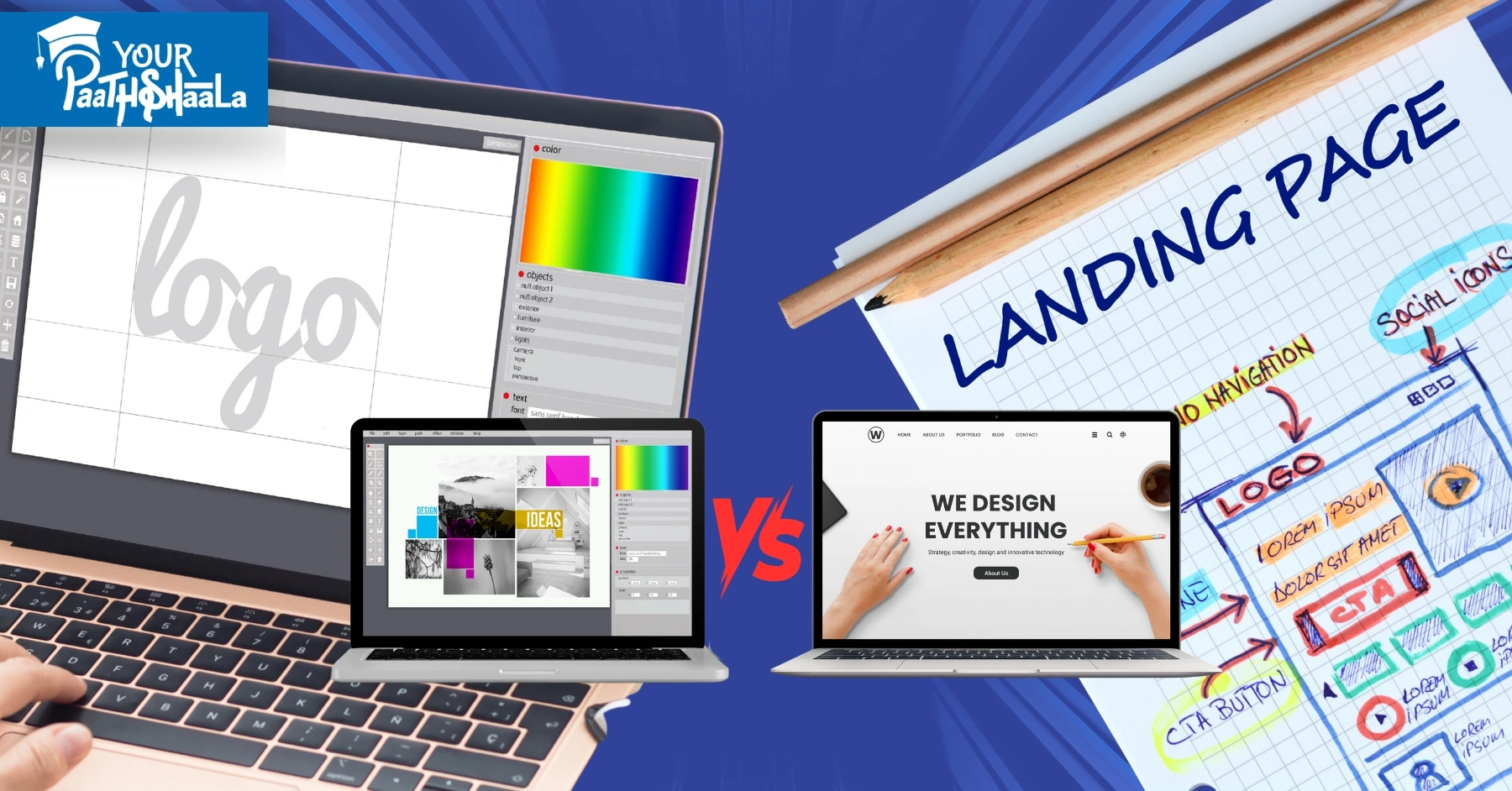
What is the Difference Between Graphic Design and Web Design? - Graphic Designing Course in Raipur.

What is the Difference Between Graphic Design and Web Design: A 2025 Guide

What is the Difference Between Graphic Design and Web Design? - Graphic Designing Course in Raipur.

In 2025, graphic design and web design are two exciting fields shaping the creative industry, but what sets them apart? Both involve creativity and visuals, yet they serve different purposes and require unique skills. Understanding the difference between graphic design and web design can help you choose the right career or project path. This guide explains their distinctions with practical examples, tips, and a beginner-friendly approach. For example, graphic design focuses on static visuals, while web design prioritizes interactivity. Ready to dive in? Let’s explore the difference between graphic design and web design and find your fit!


Why Knowing the Difference Matters

Understanding the difference between graphic design and web design is key for beginners and clients alike. First, it helps you pick the right skills to learn or services to hire. Next, it clarifies the tools and expertise needed for each field. Additionally, with India’s design market growing 25% annually per IAMAI, knowing these distinctions can boost your career. For instance, choosing the wrong designer for a project can waste time and money. However, mastering these differences opens doors to exciting opportunities in 2025.


Graphic Design vs. Web Design: The Core Differences

Graphic design and web design share creative roots but differ in purpose, medium, and execution. Here’s a quick overview to understand the difference between graphic design and web design. Graphic design creates static visuals like logos or posters, focusing on aesthetics and branding. Web design builds interactive websites, blending visuals with functionality and user experience. Let’s break down the key differences in detail.


Key Differences Between Graphic Design and Web Design

1. Purpose and Output

Graphic design aims to create visually compelling static assets, like brochures or business cards, to communicate a brand’s message. For example, a logo designer crafts a single image for print or digital use. Web design, however, focuses on interactive, digital experiences, building websites that users navigate. Web designers ensure functionality, like fast loading or mobile responsiveness. This core difference shapes their workflows and deliverables.

2. Medium and Format

Graphic designers work across print and digital, creating assets for posters, packaging, or social media. Their work is often fixed, like a printed flyer. Web designers focus solely on digital, designing websites that adapt to screens of all sizes. For instance, a web designer ensures a site looks great on a phone or laptop. This makes web design more dynamic than graphic design.

3. Skills and Tools

Graphic designers use tools like Adobe Photoshop or Illustrator to create high-resolution visuals. They focus on color theory, typography, and layout. Web designers use Figma, Webflow, or coding (HTML/CSS) to design and build functional sites. They need skills in UX/UI and basic coding, unlike graphic designers. For example, web designers prioritize user navigation over static aesthetics.

4. User Interaction

Graphic design is static, meaning users don’t interact with the final product, like a magazine ad. Web design is interactive, requiring buttons, menus, and responsive elements. For instance, a web designer creates a clickable “Buy Now” button, while a graphic designer creates a static ad image. This interactivity is a key difference between graphic design and web design.

5. Project Timeline and Updates

Graphic design projects are often one-off, like designing a logo with a fixed deadline. Web design projects may involve ongoing updates, like maintaining a website’s functionality. For example, a website might need regular tweaks for SEO or new features. This makes web design more iterative. Creative Boom notes that web designers often work longer-term than graphic designers.


5 Examples Highlighting the Difference Between Graphic Design and Web Design

Here are five hypothetical examples, inspired by 2025 trends and sources like Wix and Canva, showing how graphic and web designers work differently.

1. Priya Sharma

About Her Work

Priya, a graphic designer, created a vibrant logo and business cards for a Delhi café using Adobe Illustrator. Her bold colors and clean typography reflect the café’s brand. The static assets are used in print and social media.

Why It Shows the Difference

Priya’s work is static and focused on branding, unlike web design’s interactive focus. Check her portfolio for graphic design inspiration.

2. Arjun Patel

About His Work

Arjun, a web designer, built a responsive e-commerce website on Webflow for a Mumbai fashion brand. His design includes clickable menus and a mobile-friendly layout, ensuring smooth user navigation. The site adapts to all devices.

Why It Shows the Difference

Arjun’s focus on interactivity and functionality highlights web design’s dynamic nature. See his site for web design ideas.

3. Neha Rao

About Her Work

Neha, a graphic designer, designed a festive poster for a Bangalore Diwali campaign using Canva. Her vibrant visuals and bold fonts are static, meant for print and Instagram. The design grabs attention without interactivity.

Why It Shows the Difference

Neha’s static poster contrasts with web design’s need for user engagement. View her work for graphic design tips.

4. Vikram Singh

About His Work

Vikram, a web designer, created a portfolio site on Hostinger with interactive UX elements like animated buttons. His design ensures fast loading and mobile compatibility for Indian freelancers. The site is functional and engaging.

Why It Shows the Difference

Vikram’s interactive, user-focused site showcases web design’s technical side. Check his portfolio for UX inspiration.

5. Ananya Desai

About Her Work

Ananya, a graphic designer, crafted social media graphics for a Chennai startup using Adobe Photoshop. Her bold, static visuals boost brand visibility on Instagram. The designs are fixed and non-interactive.

Why It Shows the Difference

Ananya’s static graphics differ from web design’s interactive requirements. See her site for social media design ideas.


How to Choose Between Graphic Design and Web Design: A Beginner’s Guide

Follow this simple guide to decide which field suits you in 2025. It’s tailored for beginners exploring the difference between graphic design and web design.

1. Identify Your Interests

Do you love creating static visuals like logos or posters? Graphic design might be your fit. Prefer building interactive websites with UX/UI? Web design could be your path. For example, try a logo project and a simple website to test your interests. This helps you find your passion.

2. Assess Your Skills

Graphic design requires skills in typography, color theory, and tools like Photoshop. Web design needs UX/UI knowledge, basic coding (HTML/CSS), and tools like Figma. For instance, if you enjoy coding, lean toward web design. Take online courses to build relevant skills. Platforms like Coursera offer beginner-friendly options.

3. Explore Tools and Software

Test graphic design tools like Adobe Illustrator or Canva for static visuals. Try web design tools like Webflow or WordPress for interactive sites. For example, create a poster in Canva and a webpage in Wix to compare. This shows which tools feel more natural. Free trials make testing easy.

4. Consider Project Types

Graphic design suits one-off projects like branding or ads, ideal for freelancers. Web design involves ongoing work, like website maintenance, suiting team roles. For instance, graphic designers create logos, while web designers build e-commerce sites. Think about your preferred workflow. This clarifies your career path.

5. Research Market Demand

In India, graphic design is in demand for branding, with rates of ₹500-₹2,000 per project. Web design, especially UX/UI, commands ₹1,000-₹5,000 per project due to technical skills, per Upwork. For example, web design is growing faster in tech hubs like Bangalore. Research local demand on platforms like LinkedIn. This guides your choice.

6. Start Small and Experiment

Begin with small projects in both fields to find your fit. For instance, design a logo and a one-page website to compare. Get feedback from peers or clients to refine your skills. Next, focus on the field you enjoy most. Experimenting builds confidence and clarity.

Total Time: 10-20 hours to explore both fields


Common Mistakes to Avoid

Avoid these pitfalls when exploring graphic design or web design. First, don’t assume both fields are the same; they require different skills. Next, avoid neglecting user needs; web design prioritizes UX, while graphic design focuses on visuals. Also, don’t skip learning tools specific to each field. For example, using Photoshop for web design can slow you down. Finally, don’t ignore market trends, as they shape demand in 2025.


Tools for Graphic Design and Web Design

  • Graphic Design Tools: Adobe Photoshop, Illustrator, Canva
  • Web Design Tools: Figma, Webflow, WordPress, Adobe XD
  • Inspiration Platforms: Behance, Dribbble for design ideas
  • Coding Resources: W3Schools, Codecademy for HTML/CSS
  • Testing Tools: BrowserStack, Google Mobile-Friendly Test

2025 Trends in Graphic and Web Design

In 2025, both fields are evolving, per Creative Boom and Wix. Graphic design trends include bold typography and vibrant Indian-inspired colors for branding. Web design focuses on micro-animations and mobile-first UX, critical for India’s 70% mobile users. For example, X posts highlight animated buttons in web design as a top trend. Understanding these trends helps you apply the difference between graphic design and web design effectively.


Conclusion

The difference between graphic design and web design lies in their purpose, medium, and skills. Graphic design creates static visuals like logos, while web design builds interactive websites with UX focus. Use our guide to explore both fields, test tools, and choose your path. For example, try a logo project and a simple webpage to find your fit. Avoid mixing their roles or skipping skill-building. Ready to start your creative journey? Use this guide to navigate the difference between graphic design and web design in 2025! Want to learn graphic designing through practical, hands-on training? Join YourPaathshaala, Raipur’s leading skill development institute. Contact us at 📞 +91-8305209520 for more information!
Typography Rules Every Designer Must Know: Complete Beginner's Guide - Graphic Designing Course in Raipur.

Typography Rules Every Designer Must Know: Complete Beginner’s Guide

Typography Rules Every Designer Must Know: Complete Beginner's Guide - Graphic Designing Course in Raipur.

Typography is the heart of great design, shaping how your audience connects with your work. In 2025, mastering typography rules can make your designs stand out, whether you’re creating logos or websites. But where do beginners start? This guide breaks down key typography rules with practical tips and examples that anyone can follow. For example, choosing the right font can transform a simple poster into a bold statement. We’ll share a clear, beginner-friendly guide to help you design like a pro. Ready to create stunning visuals? Let’s explore typography rules and elevate your designs!


Why Typography Rules Matter

Typography isn’t just about picking fonts—it’s about creating clarity and emotion. First, good typography makes text easy to read and engaging. Next, it reflects your brand’s personality, from playful to professional. Additionally, it guides viewers through your design seamlessly. For instance, India’s design market, growing 25% annually per IAMAI, demands strong typography to compete. However, poor font choices can confuse or bore your audience. Mastering typography rules ensures your designs shine in 2025.


Core Typography Rules Every Beginner Should Know

Great typography follows simple rules that enhance any design. Insights from Creative Boom and Canva highlight these essentials. First, prioritize readability with clear, legible fonts. Next, use hierarchy to guide attention through size and weight. Also, maintain consistency with 2-3 fonts max. Finally, balance spacing to avoid cluttered or sparse layouts. These typography rules form the foundation of professional designs.


5 Inspiring Typography Examples for Beginners

Here are five hypothetical examples of typography in action, inspired by 2025 trends and sources like Canva. Each includes a description, why it works, and an embedded link to a sample design.

1. Priya Mehra

About Her Typography

Priya’s poster design uses a bold sans-serif font like Montserrat for headlines and a clean serif like Lora for body text. The contrast creates a strong hierarchy, making her event poster pop. She adds generous line spacing for readability. Her vibrant colors reflect Indian festivals, perfect for local brands.

Why Check It Out

Explore Priya’s design to see how font contrast and spacing create impact. It’s ideal for poster design inspiration. View her work.

2. Arjun Nair

About His Typography

Arjun’s website design pairs a modern sans-serif font, Poppins, with subtle animations for headings. Body text in Roboto ensures readability across devices. His minimalist spacing keeps the layout clean. It feels professional, ideal for tech startups.

Why Check It Out

Check Arjun’s design for web typography tips. His clean fonts and animations inspire modern layouts. See his portfolio.

3. Neha Vyas

About Her Typography

Neha’s branding project uses a single font family, Noto Sans, in varying weights for a cohesive logo and business card. Bold headers grab attention, while light body text feels approachable. Her design reflects Indian cultural motifs. It’s unified and elegant.

Why Check It Out

Explore Neha’s work to learn how one font family creates harmony. It’s great for branding beginners. Visit her site.

4. Vikram Joshi

About His Typography

Vikram’s social media graphics use playful display fonts like Bubblegum Sans for headlines and Open Sans for captions. The contrast draws attention while keeping text readable. His tight kerning adds a polished touch. It’s vibrant and engaging for Indian audiences.

Why Check It Out

Check Vikram’s design for social media typography ideas. His playful fonts inspire fun campaigns. See his work.

5. Ananya Roy

About Her Typography

Ananya’s packaging design uses a serif font, Playfair Display, for elegance and a sans-serif, Raleway, for product details. Her balanced spacing ensures clarity on small labels. The design feels premium, perfect for Indian beauty brands. It’s both functional and stylish.

Why Check It Out

Explore Ananya’s work for packaging typography tips. Her elegant fonts inspire premium designs. Visit her portfolio.


6 Typography Rules to Master as a Beginner

Follow this beginner-friendly guide to apply typography rules in your designs. These steps, inspired by 2025 trends, are simple and practical.

1. Choose Readable Fonts

Select fonts that are easy to read, like sans-serifs (e.g., Roboto) for digital or serifs (e.g., Times New Roman) for print. Avoid overly decorative fonts for body text. For example, clear fonts ensure your audience stays engaged. Test fonts on different devices for consistency. This rule is the foundation of great typography.

2. Create a Visual Hierarchy

Use font size, weight, and color to guide attention. For instance, bold 24pt headers draw eyes first, while 12pt body text supports details. Vary weights (e.g., bold, regular) within one font family for cohesion. This helps viewers navigate your design effortlessly. Hierarchy is key to effective communication.

3. Limit Font Choices

Stick to 2-3 fonts to keep your design cohesive. For example, pair a sans-serif for headings with a serif for body text. Too many fonts create clutter and confusion. Use font families with multiple weights for variety. This rule simplifies your typography decisions.

4. Balance Spacing and Alignment

Adjust line spacing (leading) and letter spacing (kerning) for readability. For instance, 1.5x line spacing works well for body text. Align text consistently, like left-aligned for long paragraphs. Avoid cramped or overly spaced layouts. Proper spacing enhances your design’s flow.

5. Use Contrast Effectively

Combine fonts with different styles, like bold sans-serif headers with light serif body text. For example, Montserrat Bold with Georgia creates a striking contrast. Ensure enough contrast between text and background (e.g., dark text on light backgrounds). This makes your design pop and improves readability.

6. Test and Refine Your Typography

Preview your design on mobile and desktop to check readability. For instance, ensure fonts are legible at small sizes for Indian smartphone users. Get feedback from peers or clients to refine your work. Adjust based on trends, like bold typography in 2025. Testing ensures your typography shines.

Total Time: 4-8 hours for a single project


Common Typography Mistakes to Avoid

Even beginners can avoid these pitfalls with care. First, don’t use too many fonts; it creates a messy look. Next, avoid poor contrast, like light text on light backgrounds, which hurts readability. Also, don’t ignore spacing; cramped text feels unprofessional. Finally, avoid trendy fonts that sacrifice clarity, like overly stylized scripts. For example, a cluttered design may turn off clients in India’s competitive market.


Tools to Master Typography Rules

  • Font Libraries: Google Fonts, Adobe Fonts, FontSquirrel
  • Design Tools: Canva, Figma, Adobe Illustrator
  • Typography Guides: FontPair, WhatTheFont for font matching
  • Testing Tools: BrowserStack for cross-device previews
  • Inspiration Platforms: Behance, Dribbble for design trends

Typography Trends for 2025

Typography in 2025 is bold, vibrant, and user-focused. Creative Boom highlights maximalist fonts with bold weights for impact. Canva notes that Indian designers are using culturally inspired fonts like Noto Sans Devanagari for local appeal. Meanwhile, X posts praise animated typography for digital designs. For example, pairing bold sans-serifs with subtle animations grabs attention. Staying updated on these trends ensures your typography rules align with modern expectations.


Tips for Applying Typography Rules

To make your typography stand out, follow these practical tips. First, use Google Fonts for free, high-quality options tailored for Indian audiences. Next, test readability on small screens, as 70% of Indian users browse on mobiles. Additionally, draw inspiration from Indian culture, like vibrant colors or Devanagari scripts. For instance, a festive design with bold fonts can attract local brands. Finally, keep practicing to refine your typography skills.


Why Typography Rules Are Crucial for Indian Designers

India’s design industry is booming, with digital ad spending expected to hit ₹50,000 crore by 2026, per IAMAI. Strong typography rules help Indian designers create clear, impactful designs for diverse audiences. For example, legible fonts and cultural elements resonate with local clients in cities like Bangalore. Creative Boom notes that typography is key to standing out in global and Indian markets. A well-crafted typography approach ensures your designs connect and convert.


Conclusion

Mastering typography rules is a must for every beginner designer in 2025. From choosing readable fonts to creating hierarchy, these rules make your designs clear and engaging. Use our guide to select fonts, balance spacing, and test your work. For example, pair bold headers with clean body text for impact. Avoid common mistakes like cluttered fonts or poor contrast. Ready to create stunning designs? Want to learn graphic designing through practical, hands-on training? Join YourPaathshaala, Raipur’s leading skill development institute. Contact us at 📞 +91-8305209520 for more information!
How to Price Graphic Design Work: Hourly vs. Project-Based Rates in 2025 - YourPaathshaala Graphic Designing Course in Raipur.

How to Price Graphic Design Work: Hourly vs. Project-Based Rates in 2025

How to Price Graphic Design Work: Hourly vs. Project-Based Rates in 2025 - YourPaathshaala Graphic Designing Course in Raipur.

Pricing your graphic design work can feel tricky, especially in 2025’s fast-paced creative market. Whether you’re a freelancer or running a small studio, setting the right price is key to attracting clients and earning a fair income. But should you charge by the hour or per project? This guide breaks down graphic design pricing, comparing hourly and project-based rates with practical tips and examples. For example, we’ll explore how top designers price their work to win clients. Plus, we’ll provide a step-by-step guide to set your rates confidently. Ready to price smartly? Let’s dive into graphic design pricing and boost your earnings!


Why Graphic Design Pricing Matters

Setting the right price for your design work impacts your success. First, fair pricing reflects your skills and builds client trust. Next, it ensures you’re paid for your time and expertise. Additionally, proper pricing helps you stand out in a competitive industry. For instance, with the global design market projected to hit $249 billion by 2027, smart pricing can secure your place. However, pricing too low or too high can hurt your business. This guide will help you find the perfect balance for graphic design pricing.


Hourly vs. Project-Based Rates: The Basics

Graphic design pricing typically falls into two methods: hourly and project-based rates. Each has its strengths and challenges. Understanding both helps you choose the best approach for your work. Here’s a quick overview to get started.

Hourly Rates

Hourly rates charge clients based on the time you spend on a project. For example, if you charge $50 per hour and work 10 hours, the client pays $500. This method is great for flexible or unpredictable projects.

Project-Based Rates

Project-based rates charge a flat fee for the entire project, regardless of hours. For instance, you might charge $1,000 for a logo design. This method suits well-defined projects with clear deliverables.


Pros and Cons of Hourly Rates

Hourly rates are common in graphic design pricing, especially for beginners. But they have upsides and downsides. Let’s break them down to see if this method suits you.

Pros of Hourly Rates

  • Flexibility: Adjusts to projects that change scope or take longer.
  • Fair for Time: You’re paid for every hour worked, ideal for complex tasks.
  • Transparency: Clients see exactly what they’re paying for based on time.

Cons of Hourly Rates

  • Time Tracking: You must log hours accurately, which can be tedious.
  • Client Pushback: Some clients dislike open-ended costs if projects run long.
  • Income Cap: Your earnings are limited by the hours you can work.

For example, Creative Boom notes that hourly rates work well for freelancers tackling varied tasks like UI/UX or illustration.


Pros and Cons of Project-Based Rates

Project-based rates are popular for defined graphic design projects. They offer clarity but come with risks. Here’s a look at their benefits and challenges.

Pros of Project-Based Rates

  • Clear Expectations: Clients know the cost upfront, building trust.
  • Higher Earnings: You can charge based on value, not just time.
  • Simpler Billing: No need to track hours, streamlining invoicing.

Cons of Project-Based Rates

  • Scope Creep: Clients may request extra work without extra pay.
  • Misjudging Time: Underestimating hours can lead to unpaid work.
  • Complexity: Pricing complex projects accurately takes experience.

For instance, Wix suggests project-based rates for branding or logo projects with clear deliverables.


Factors to Consider

Choosing between hourly and project-based rates depends on several factors. These elements shape your pricing strategy in 2025. Consider the following to set fair rates.

Your Experience Level

Beginners often charge lower rates to build their portfolio. For example, new designers might charge $25-$50 per hour or $200-$500 per project. Experienced designers can charge $75-$150 per hour or $1,000-$5,000 per project, reflecting their expertise.

Project Complexity

Simple tasks like social media graphics take less time than full branding packages. For instance, a logo might take 5-10 hours, while a website redesign could take 20-40 hours. Adjust your rates based on the effort required.

Client Budget and Market

Research your client’s industry and budget. Small businesses may expect lower rates, while large corporations can afford premium pricing. For example, a startup might pay $500 for a logo, while a corporate client might pay $2,000.

Location and Demand

Rates vary by region and demand. In 2025, U.S. designers charge $50-$100 per hour on average, while global freelancers might charge $20-$60. High-demand niches like UI/UX often command higher rates.

Time and Resources

Consider software costs, research time, and revisions. For example, Adobe Creative Suite subscriptions or stock image fees add to your expenses. Factor these into your graphic design pricing to cover costs.


How to Set Your Graphic Design Pricing: A Step-by-Step Guide

Follow this beginner-friendly guide to set your rates confidently. It’s designed to help you price your work fairly in 2025.

1 Research Market Rates

  • Check platforms like Behance or Dribbble for industry standards.
  • For example, logo design rates range from $300-$2,000 in 2025.
  • Look at local and global rates to find your range.
  • Time: 1-2 hours

2 Assess Your Skills and Costs

  • Evaluate your experience and niche (e.g., branding, UI/UX).
  • Calculate expenses like software or taxes.
  • For instance, beginners might start at $30/hour, while pros charge $80/hour.
  • Time: 1 hour

3 Choose Your Pricing Model

  • Decide between hourly or project-based rates based on project type.
  • Use hourly for flexible tasks, like illustrations, and project-based for logos.
  • However, test both to see what suits your workflow.
  • Time: 30 minutes

4 Estimate Project Time

  • Break down tasks (e.g., research, sketching, revisions).
  • For example, a logo might take 8-12 hours, so price accordingly.
  • Add a buffer for unexpected changes or client feedback.
  • Time: 1-2 hours

5 Create a Pricing Proposal

  • Present clear rates to clients with a breakdown of deliverables.
  • Include scope, timeline, and revision limits to avoid scope creep.
  • For instance, “Logo design: $800, includes 3 revisions.”
  • Time: 1-2 hours

6 Test and Adjust Rates

  • Start with a few projects and gather client feedback.
  • Adjust rates based on demand or project complexity.
  • Next, raise rates as you gain experience and confidence.
  • Time: Ongoing

Total Time: 5-7 hours initially, then ongoing adjustments


Graphic Design Pricing Examples

Here are five hypothetical pricing examples to show how designers set rates in 2025. These are inspired by real-world trends.

  1. Logo Design (Project-Based)
    • Designer: Mia, a beginner freelancer
    • Rate: $400 flat fee
    • Details: 8 hours of work, including 2 revisions
    • Why It Works: Clear scope and flat fee appeal to small businesses.
  2. Website Redesign (Hourly)
    • Designer: Leo, a mid-level UI/UX designer
    • Rate: $60/hour, 30 hours ($1,800 total)
    • Details: Includes wireframes, mockups, and testing
    • Why It Works: Hourly rate suits complex, evolving projects.
  3. Branding Package (Project-Based)
    • Designer: Zara, an experienced designer
    • Rate: $2,500 flat fee
    • Details: Logo, business cards, and style guide; 20 hours
    • Why It Works: Value-based pricing reflects expertise.
  4. Social Media Graphics (Hourly)
    • Designer: Eli, a part-time freelancer
    • Rate: $35/hour, 10 hours ($350 total)
    • Details: 10 Instagram posts with revisions
    • Why It Works: Flexible rate suits quick, iterative tasks.
  5. Motion Graphics (Project-Based)
    • Designer: Luna, a motion design specialist
    • Rate: $1,200 flat fee
    • Details: 30-second animated ad, 15 hours
    • Why It Works: Fixed price simplifies billing for defined work.

Tips for Effective Graphic Design Pricing

To make your pricing strategy successful, follow these practical tips. They’re designed to help you avoid common pitfalls.

  • Know Your Worth: Don’t underprice your skills. Research market rates to charge fairly.
  • Set Clear Terms: Use contracts to define scope, revisions, and payment schedules. For example, limit revisions to avoid unpaid work.
  • Communicate Value: Explain how your design solves client problems. For instance, a logo boosts brand recognition.
  • Offer Packages: Combine services (e.g., logo + business cards) for higher-value projects.
  • Raise Rates Over Time: As you gain experience, increase rates to match your expertise.

Common Pricing Mistakes to Avoid

Pricing errors can hurt your business. Here are mistakes to steer clear of in graphic design pricing. First, avoid undercharging to win clients; it devalues your work. Next, don’t skip contracts, as they prevent scope creep. Also, avoid vague estimates; always clarify deliverables. Finally, don’t stick to one pricing model if it doesn’t suit the project. For example, hourly rates may not work for fixed-scope tasks like logos.


Tools to Help with Graphic Design Pricing

  • Invoicing Tools: FreshBooks, Wave, PayPal for easy billing
  • Time Tracking: Toggl, Clockify for hourly rate accuracy
  • Market Research: Behance, Dribbble for rate comparisons
  • Contracts: Bonsai, HelloSign for clear agreements
  • Cost Calculators: MyPrice, Freelance Rate Calculator for quick estimates

Graphic Design Pricing Trends in 2025

In 2025, graphic design pricing reflects industry shifts. Creative Boom notes that value-based pricing is growing, with designers charging for impact, not just time. X posts highlight rising demand for UI/UX and motion design, pushing rates to $75-$150/hour for specialists. Meanwhile, Webflow suggests project-based rates for branding packages, averaging $1,000-$5,000. Additionally, AI tools are streamlining workflows, allowing designers to charge more for creative expertise. Staying updated on these trends ensures your graphic design pricing remains competitive.


Conclusion

Pricing graphic design work in 2025 doesn’t have to be daunting. By understanding hourly vs. project-based rates, you can choose the best method for your projects. Use our step-by-step guide to research rates, assess your skills, and create clear proposals. For example, start with market research and adjust as you grow. Avoid common mistakes like undercharging or vague terms. With the right graphic design pricing strategy, you’ll attract clients, boost earnings, and build a thriving career. Ready to set your rates? Start pricing smartly today! Want to learn graphic designing through practical, hands-on training? Join YourPaathshaala, Raipur’s leading skill development institute. Contact us at 📞 +91-8305209520 for more information!
Graphic Design Portfolio Examples: 20 Winning Portfolios That Secured Jobs in 2025 - Graphic Designing Course in Raipur.

Graphic Design Portfolio Examples: 20 Winning Portfolios That Secured Jobs in 2025

Graphic Design Portfolio Examples: 20 Winning Portfolios That Secured Jobs in 2025 - Graphic Designing Course in Raipur.

A graphic design portfolio is your key to unlocking dream jobs. In 2025, a strong online showcase grabs attention from clients and employers. But what makes a portfolio truly shine? This guide shares 20 graphic design portfolio examples that won jobs, from freelance to agency roles. For example, these portfolios use bold visuals and clear layouts to stand out. Plus, we’ll provide an easy guide to create your own. Ready to get inspired? Let’s explore these graphic design portfolio examples and boost your career!


Why Study Graphic Design Portfolio Examples?

Your portfolio showcases your skills and personality as a designer. Exploring graphic design portfolio examples helps you succeed. First, they spark creative ideas for presenting your work. Next, they show employers your unique style and versatility. Finally, they align with 2025 trends like vibrant colors and smooth navigation. For instance, a clear portfolio turns visitors into clients. With the design industry projected to hit $249 billion by 2027, these examples guide you to success.


What Makes a Portfolio Stand Out?

A job-winning portfolio needs key elements to impress. Insights from Wix and Creative Boom highlight what works. First, show 5-15 top projects to display your range. Next, include sketches or case studies to share your process. Also, use simple navigation and a personal style. Finally, add clear contact details. These features, seen in the portfolios below, landed jobs in 2025.


20 Graphic Design Portfolio Examples to Inspire You

Below are 20 portfolio examples, inspired by 2025 trends and sources like Wix and Creative Boom. Each includes the designer’s name as a heading, a subheading with a paragraph description, a subheading for why to check it out, and an embedded link.

1. Aria Patel

About Her Portfolio

Aria’s Wix site features soft pastel colors and clean typography that feels warm and inviting. Her portfolio showcases logos and social media graphics for startups, with detailed case studies explaining her process from sketches to final designs. Her work focuses on branding that connects with modern audiences. It’s polished yet approachable, making her designs stand out.

Why Check It Out

You should explore Aria’s portfolio to see how storytelling can elevate simple designs. Her case studies offer clear insights into creating impactful branding. Visit her portfolio.

2. Kai Lee

About His Portfolio

Kai’s Webflow site boasts bold layouts and clickable app prototypes that highlight his UI/UX skills. It features mobile app redesigns and responsive web interfaces, presented with smooth navigation. His portfolio feels modern and user-focused, perfect for tech-driven designs. The interactive elements make his work engaging.

Why Check It Out

Check out Kai’s portfolio to learn how to showcase user-focused designs. His interactive prototypes are a great example of modern UX presentation. See it here.

3. Luna Gomez

About Her Portfolio

Luna’s Squarespace site uses a dark theme with a striking video reel on the homepage. It displays animated ads and 3D motion graphics that burst with energy. Her portfolio feels dynamic and professional, ideal for motion design. The video elements create an immediate impact.

Why Check It Out

Explore Luna’s portfolio to discover how video can make your work pop. Her bold reel offers inspiration for motion designers. Visit her site.

4. Jasper Cole

About His Portfolio

Jasper’s Behance profile showcases vivid mockups of eco-friendly packaging for food brands. His designs emphasize sustainability, with clear visuals showing real-world applications. The portfolio is simple yet powerful, highlighting green design trends. It feels professional and purpose-driven.

Why Check It Out

You should check Jasper’s portfolio for ideas on practical, eco-conscious designs. His mockups show how to present sustainable work effectively. See his work.

5. Zoe Khan

About Her Portfolio

Zoe’s Hostinger site features a minimalist blue layout with magazine spreads and book covers. The clean design and sticky menu make browsing effortless and enjoyable. Her editorial work feels polished and professional. It’s a great example of user-friendly design.

Why Check It Out

Explore Zoe’s portfolio to learn how to create smooth navigation. Her clean layout is perfect for editorial design inspiration. Visit her portfolio.

6. Eli Park

About His Portfolio

Eli’s Copyfolio site presents a clean grid of minimalist logos for small businesses. Client testimonials add trust, and the simple layout lets his designs shine. His work feels approachable yet professional. It’s ideal for logo designers aiming to stand out.

Why Check It Out

Check out Eli’s portfolio to see how client feedback boosts credibility. His simple layout offers great logo design tips. See it here.

7. Nia Torres

About Her Portfolio

Nia’s Wix site bursts with bright colors and embedded Instagram posts. It features social media templates and ad campaigns that show real-time engagement. Her portfolio feels lively and modern, perfect for social media design. The vibrant energy draws viewers in.

Why Check It Out

You should visit Nia’s portfolio to learn how to integrate social media. Her live posts inspire dynamic design ideas. Visit her site.

8. Theo Cruz

About His Portfolio

Theo’s Adobe Express site uses a scrolling gallery to display digital illustrations and character art. The minimalist design highlights his vibrant artwork beautifully. His portfolio is perfect for illustrators aiming to shine. It feels clean and artistic.

Why Check It Out

Explore Theo’s portfolio to see how simplicity enhances art. His gallery offers inspiration for illustrators. Visit his portfolio.

9. Mila Chen

About Her Portfolio

Mila’s Webflow site features smooth scrolling and full branding projects for startups. Her portfolio showcases cohesive brand kits with bold visuals and clear layouts. It feels professional and polished, ideal for branding designers. The design is sleek and engaging.

Why Check It Out

Check out Mila’s portfolio to learn how to present branding work. Her cohesive visuals offer great branding tips. See her work.

10. Finn Brooks

About His Portfolio

Finn’s Squarespace site uses split-screen layouts to showcase website mockups and landing pages. The bold colors and clean navigation make his portfolio stand out. His work feels modern and user-friendly. It’s a great example of web design.

Why Check It Out

You should explore Finn’s portfolio for web design inspiration. His bold navigation is perfect for modern layouts. Visit his site.

11. Sana Ali

About Her Portfolio

Sana’s Behance profile highlights vibrant app prototypes and user flows for UX projects. Her case studies dive into research, making her work feel thorough and professional. The portfolio is bold and engaging. It’s ideal for UX designers.

Why Check It Out

Check out Sana’s portfolio to see how to showcase UX skills. Her research details inspire thorough design presentations. See her portfolio.

12. Mateo Diaz

About His Portfolio

Mateo’s Hostinger site uses a modern grid to display event posters and brochures. His before-and-after visuals clearly show his design process, making his work stand out. The portfolio feels clean and professional. It’s perfect for print designers.

Why Check It Out

You should visit Mateo’s portfolio to learn about print design. His process visuals offer clear inspiration. See his work.

13. Lila Evans

About Her Portfolio

Lila’s Wix site features interactive 3D previews of product renderings and animations. The portfolio is immersive, with bold visuals that grab attention. Her work feels cutting-edge and creative. It’s ideal for 3D design enthusiasts.

Why Check It Out

Explore Lila’s portfolio to spark 3D design ideas. Her immersive visuals are perfect for modern inspiration. Visit her site.

14. Owen Kim

About His Portfolio

Owen’s Behance profile showcases custom typefaces for branding projects. His toggle menu and clean layout make his fonts the star of the show. The portfolio feels creative and unique. It’s great for typography lovers.

Why Check It Out

Check out Owen’s portfolio for typography inspiration. His creative menu offers fresh design ideas. See his portfolio.

15. Ava Lin

About Her Portfolio

Ava’s Copyfolio site uses a pastel style to display logos, UI, and illustrations. Her cohesive look ties her multidisciplinary work together beautifully. The portfolio feels warm and inviting. It’s perfect for versatile designers.

Why Check It Out

You should explore Ava’s portfolio to balance diverse projects. Her cohesive style inspires multidisciplinary design. Visit her work.

16. Ezra Ford

About His Portfolio

Ezra’s Webflow site features bold images of ad campaigns and billboards. His striking visuals and client feedback make the portfolio stand out. It feels professional and high-energy. It’s ideal for advertising designers.

Why Check It Out

Check out Ezra’s portfolio for advertising design tips. His bold visuals inspire impactful presentations. See his site.

17. Sofia Khan

About Her Portfolio

Sofia’s Squarespace site has a calm layout with nonprofit branding projects. Her personal “About” page builds trust and connects with viewers. The portfolio feels warm and purposeful. It’s great for nonprofit design.

Why Check It Out

Explore Sofia’s portfolio to learn nonprofit design. Her personal touch offers trust-building tips. Visit her portfolio.

18. Leo Yang

About His Portfolio

Leo’s Hostinger site uses a vibrant menu to showcase app interfaces and prototypes. His clear UX process details make his work feel professional. The portfolio is modern and engaging. It’s ideal for app designers.

Why Check It Out

You should check out Leo’s portfolio for mobile app design ideas. His UX details inspire professional presentations. See his work.

19. Clara Lee

About Her Portfolio

Clara’s Adobe Express site features a scrolling gallery of event posters and digital art. Her bold colors and mockups show versatility and creativity. The portfolio feels lively and approachable. It’s perfect for poster designers.

Why Check It Out

Explore Clara’s portfolio for poster design inspiration. Her vibrant mockups offer creative ideas. Visit her site.

20. Amir Patel

About His Portfolio

Amir’s Behance profile showcases vibrant, culturally rich branding with Afrocentric visuals. His bold textures and storytelling create a unique experience. The portfolio feels authentic and inspiring. It’s ideal for cultural design.

Why Check It Out

Check out Amir’s portfolio to learn cultural design. His storytelling inspires unique branding ideas. See his portfolio.


How to Build Your Own Portfolio

Follow this easy guide to create a portfolio, inspired by these graphic design portfolio examples. It’s perfect for beginners.

Step 1: Pick Your Best Work

  • Choose 5-15 projects, like logos or UI designs, to show your skills.
  • Focus on quality to make a strong impression.
  • For example, mix a logo with a poster for variety.
  • Time: 1-2 hours

Step 2: Choose a Platform

  • Try Wix, Squarespace, Hostinger, or Behance for simple setups.
  • Hostinger’s AI builder is great for beginners, while Behance boosts visibility.
  • However, ensure your site works on mobile devices.
  • Time: 1 hour

Step 3: Design Your Portfolio

  • Use a clean layout with bold fonts or simple grids.
  • Pick vibrant or pastel colors to show your style.
  • Add a clear menu with Home, Work, and Contact sections.
  • Next, test it on phones for smooth browsing.
  • Time: 2-4 hours

Step 4: Write Case Studies

  • Describe your role, challenges, and results for each project.
  • Add sketches or wireframes to show your process.
  • For instance, “Redesigned a logo to meet tight deadlines.”
  • Time: 2-3 hours

Step 5: Add Personal Touches

  • Write an “About” page with your story and skills.
  • Include client feedback to build trust.
  • Additionally, a short bio makes it relatable.
  • Time: 1-2 hours

Step 6: Optimize and Share

  • Use keywords like “graphic design portfolio” for SEO.
  • Add email and social links for contact.
  • Test for fast loading and mobile use.
  • Finally, share on X or LinkedIn to get noticed.
  • Time: 1-2 hours

Total Time: 7-14 hours


Mistakes to Avoid

  • Too Many Projects: Limit to 5-15 top works to stay focused.
  • No Process Details: Show sketches to prove your skills.
  • Cluttered Design: Keep navigation clear and simple.
  • Ignoring Mobile: Optimize for phones, as 60% browse there.
  • Missing Contact: Make it easy to reach you.

Tools to Build Your Portfolio

  • Website Builders: Wix, Squarespace, Hostinger, Webflow
  • Portfolio Platforms: Behance, Adobe Express, Copyfolio
  • Design Tools: Adobe Creative Suite, Figma, Canva
  • SEO Tools: Yoast SEO, Google Analytics
  • Mockup Tools: Mr. Mockup, Canva, Photoshop

Why Portfolios Matter in 2025

Graphic design is competitive in 2025, with AI and bold visuals leading trends. For example, Creative Boom praises designers using vibrant, cultural portfolios to stand out. Webflow highlights interactive UX as a top trend. Meanwhile, X posts note clean layouts win jobs. With 63% of hiring managers valuing portfolios over resumes, these graphic design portfolio examples show how to succeed.


Conclusion

These 20 graphic design portfolio examples offer fresh inspiration for 2025. From vibrant Wix sites to clean Behance profiles, they showcase bold projects and clear processes. Explore them to spark ideas, use platforms like Hostinger or Behance, and follow our easy guide to create your own. Ready to impress employers? Build a job-winning portfolio with these graphic design portfolio examples today! Want to learn graphic designing through practical, hands-on training? Join YourPaathshaala, Raipur’s leading skill development institute. Contact us at 📞 +91-8305209520 for more information!
How to earn passive income for designers in 2025? - Graphic Designing Course in Raipur.

Passive Income for Designers : 7 Proven Strategies to Earn Money in Your Sleep in 2025

How to earn passive income for designers in 2025? - Graphic Designing Course in Raipur.

As a designer, your creativity can do more than just fuel client projects—it can generate income while you sleep. In 2025, passive income for designers is a hot trend, offering financial freedom and flexibility. Whether you’re a graphic designer, UI/UX expert, or motion artist, leveraging digital platforms and AI tools can turn your skills into steady revenue streams. This beginner-friendly guide explores seven proven strategies to build passive income, from selling digital assets to launching online courses. Ready to monetize your talent effortlessly? Let’s dive into passive income for designers and discover how to make money in your sleep in 2025!


Why Passive Income for Designers Matters

Passive income lets designers break free from trading time for money, offering benefits like:

  • Financial Security: Diversify income beyond freelance or full-time work.
  • Time Freedom: Focus on creative projects while earning passively.
  • Scalability: Digital products can sell repeatedly with minimal upkeep.
  • Global Reach: Online platforms connect you with worldwide audiences.
  • Future-Proofing: Leverage 2025 trends like AI and digital marketplaces.

With the global design market projected to grow to $249 billion by 2027, passive income for designers is a smart way to capitalize on your skills.


What Is Passive Income for Designers?

Passive income is money earned with minimal ongoing effort after an initial investment of time or resources. For designers, this means creating digital products, services, or systems that sell repeatedly. Examples include selling templates on Etsy, licensing stock graphics, or earning affiliate revenue from design tools. While setup requires work, these streams generate income long-term, allowing you to focus on creativity or other ventures.

This guide outlines seven actionable strategies to build passive income for designers in 2025.


7 Proven Strategies for Passive Income for Designers in 2025

Here are seven beginner-friendly ways to generate passive income, complete with tools, tips, and real-world examples.

1. Sell Digital Design Assets

What It Is: Create and sell reusable design assets like templates, fonts, icons, or mockups on marketplaces.

Why It Works: Designers can create assets once and sell them repeatedly to a global audience.

How to Start:

  • Choose a Niche: Focus on high-demand assets like Canva templates for Instagram or Photoshop mockups for branding.
  • Create Assets: Use tools like Adobe Illustrator, Figma, or Canva to design professional templates.
  • List on Marketplaces: Upload to platforms like Creative Market, Etsy, or Envato Elements. Price templates at $5-$50 based on complexity.
  • Optimize Listings: Use SEO keywords (e.g., “minimalist Canva template”) and eye-catching previews.

Tools: Canva, Adobe Creative Suite, Figma, Creative Market
Example: A designer earns $500/month selling 100 Canva social media templates at $5 each on Etsy.
Time to Start: 1-2 weeks
Pro Tip: Bundle assets (e.g., 10 templates for $25) to increase sales.

2. License Stock Graphics and Illustrations

What It Is: Create vector graphics, illustrations, or patterns and license them on stock platforms.

Why It Works: Stock graphics are in constant demand for websites, ads, and social media, offering royalty-based income.

How to Start:

  • Design Graphics: Create versatile assets like abstract patterns or icons using Illustrator or Procreate.
  • Upload to Stock Sites: List on Shutterstock, Adobe Stock, or Freepik. Follow platform guidelines for file formats (e.g., EPS, PNG).
  • Tag Smartly: Use keywords like “minimalist vector” or “business illustration” to boost discoverability.
  • Scale Up: Upload 50-100 assets initially to maximize earnings potential.

Tools: Adobe Illustrator, Procreate, Affinity Designer
Example: An illustrator earns $200/month licensing 50 vectors on Shutterstock at $0.25-$2 per download.
Time to Start: 2-4 weeks
Pro Tip: Research trending styles (e.g., 3D gradients in 2025) to stand out.

3. Create and Sell Online Design Courses

What It Is: Record video courses teaching design skills and sell them on platforms like Udemy or Skillshare.

Why It Works: Designers can monetize expertise, and courses sell repeatedly with minimal updates.

How to Start:

  • Pick a Topic: Teach in-demand skills like “UI/UX Design with Figma” or “Logo Design in Canva.”
  • Record Lessons: Use screen recording tools like Loom or Camtasia. Keep lessons 5-10 minutes long.
  • Host on Platforms: Upload to Udemy, Skillshare, or Gumroad. Price courses at $10-$100.
  • Promote: Share on social media, X, or your blog to attract students.

Tools: Loom, Camtasia, Canva (for slides), Skillshare
Example: A UI designer earns $1,000/month from a $50 Figma course with 20 monthly sales on Udemy.
Time to Start: 4-6 weeks
Pro Tip: Offer a free preview lesson to hook potential buyers.

4. Launch a Print-on-Demand Store

What It Is: Design graphics for products like t-shirts, mugs, or posters and sell them via print-on-demand (POD) platforms.

Why It Works: POD handles production and shipping, letting you focus on design and marketing.

How to Start:

  • Choose Products: Focus on popular items like apparel or wall art.
  • Create Designs: Use Photoshop or Canva to design bold, niche-specific graphics (e.g., “Designer Life” slogans).
  • Set Up Shop: Use platforms like Printful, Redbubble, or Teespring. Integrate with Etsy or Shopify.
  • Market: Promote via Instagram Reels or Pinterest with SEO keywords like “graphic designer t-shirt.”

Tools: Canva, Photoshop, Printful, Shopify
Example: A designer earns $300/month selling 30 t-shirts at $10 profit each on Redbubble.
Time to Start: 1-2 weeks
Pro Tip: Target niche audiences (e.g., typography lovers) for higher conversions.

5. Monetize a Design Blog with Affiliate Marketing

What It Is: Write a blog about design tips and earn commissions by promoting tools like Canva or Adobe via affiliate links.

Why It Works: Blogs attract organic traffic, and affiliate links generate passive income from purchases.

How to Start:

  • Set Up a Blog: Use WordPress or Wix with affordable hosting (e.g., Hostinger, ~$2.99/month).
  • Write Content: Create SEO-optimized posts like “Best Design Tools for 2025” or “How to Use Canva for Logos.”
  • Join Affiliate Programs: Sign up for Canva, Adobe, or Creative Market affiliate programs (10-30% commissions).
  • Promote: Share posts on X, Pinterest, or LinkedIn to drive traffic.

Tools: WordPress, Yoast SEO, Google Analytics
Example: A blog earns $400/month from 20 Adobe affiliate sales at $20 commission each.
Time to Start: 4-8 weeks
Pro Tip: Use an affiliate disclosure to comply with FTC guidelines, ensuring transparency.

6. Develop and Sell Design Plugins or Presets

What It Is: Create plugins, brushes, or presets for design software and sell them on marketplaces.

Why It Works: Designers love tools that save time, and plugins sell repeatedly to a niche audience.

How to Start:

  • Identify Needs: Create Photoshop brushes, Figma plugins, or Lightroom presets for specific tasks (e.g., vintage effects).
  • Develop Tools: Use Adobe’s SDK for Photoshop or JavaScript for Figma plugins. Test thoroughly.
  • Sell Online: List on Gumroad, Creative Market, or your website. Price at $5-$50.
  • Market: Share tutorials on YouTube or X to showcase your tools.

Tools: Adobe SDK, Figma API, Gumroad
Example: A designer earns $600/month selling 120 Photoshop brushes at $5 each on Creative Market.
Time to Start: 3-6 weeks
Pro Tip: Offer free samples to build trust and drive sales.

7. License Design Tutorials on YouTube with Memberships

What It Is: Create design tutorials on YouTube and monetize with channel memberships or ad revenue.

Why It Works: YouTube’s global reach and recurring memberships create passive income from evergreen content.

How to Start:

  • Plan Content: Create tutorials like “Motion Graphics in After Effects” or “AI Logo Design with Midjourney.”
  • Record Videos: Use OBS Studio and a decent mic (e.g., Blue Yeti). Keep videos 5-15 minutes.
  • Monetize: Enable ads (1,000 subscribers needed) or memberships ($4.99-$9.99/month) for exclusive content.
  • Promote: Optimize titles with keywords (e.g., “Canva tutorial 2025”) and share on X or Reddit.

Tools: OBS Studio, DaVinci Resolve, YouTube Studio
Example: A channel with 5,000 subscribers earns $200/month from 50 $4.99 memberships.
Time to Start: 4-8 weeks
Pro Tip: Batch-record videos to maintain consistency.


How to Maximize Passive Income for Designers

  • Diversify Streams: Combine multiple strategies (e.g., templates and a blog) for stability.
  • Leverage AI: Use tools like Midjourney for asset creation or Canva’s AI for quick templates.
  • Optimize for SEO: Use keywords in listings, blog posts, and YouTube titles to boost discoverability.
  • Automate Marketing: Schedule social media posts with Buffer or Hootsuite.
  • Track Performance: Use Google Analytics or Etsy stats to refine your offerings.

Common Mistakes to Avoid

  • Overloading Upfront Work: Start with one stream (e.g., templates) before scaling.
  • Ignoring Quality: Low-quality assets or tutorials hurt your reputation.
  • Skipping Marketing: Even passive income needs initial promotion to gain traction.
  • Neglecting Updates: Refresh assets or courses to stay relevant in 2025.

Tools for Building Passive Income for Designers

  • Design: Canva, Adobe Creative Suite, Figma, Procreate
  • Marketplaces: Etsy, Creative Market, Envato Elements, Gumroad
  • Blogging: WordPress, Hostinger, Yoast SEO
  • Video: OBS Studio, DaVinci Resolve, YouTube Studio
  • Marketing: Buffer, Pinterest, Google Analytics

Learning More About Passive Income for Designers

  • Courses: Skillshare’s “Passive Income for Creatives” or Udemy’s digital product classes.
  • YouTube Channels: Watch Ankur Warikoo or Roberto Blake for monetization tips.
  • Communities: Join Reddit’s r/PassiveIncome or X for designer insights.
  • Books: Read “The 4-Hour Workweek” by Tim Ferriss for passive income strategies.
  • Practice: Start one income stream this month to test and refine.

Why Passive Income for Designers Is Trending in 2025

As of July 26, 2025, the gig economy and digital marketplaces are booming, with platforms like Etsy reporting 96 million active buyers in 2024. X posts highlight designers earning thousands monthly from templates and courses, citing Canva and AI tools as game-changers. With 70% of freelancers seeking passive income, per a 2024 survey, these strategies align with India’s growing digital market and global design trends, making passive income for designers a lucrative opportunity.


Conclusion

Passive income for designers in 2025 is within reach, thanks to digital platforms and AI tools. From selling templates on Etsy to launching YouTube tutorials, these seven strategies—digital assets, stock graphics, courses, print-on-demand, blogs, plugins, and memberships—offer scalable ways to earn money while you sleep. Start small with one stream, optimize for SEO, and leverage tools like Canva or Figma to create high-quality products. Ready to build your passive income empire? Pick a strategy and start creating today! To learn more about graphic designing practically join our institute YourPaathshaala in raipur or contact us at 8305209520 for more information.

Best Color Combinations for Logos: 25 Palettes That Convert Better - Graphic Designing Course in Raipur.

Best Color Combinations for Logos: 25 Palettes That Convert Better

Best Color Combinations for Logos: 25 Palettes That Convert Better - Graphic Designing Course in Raipur.

A logo’s colors can make or break its ability to grab attention and convert viewers into customers. The best color combinations for logos blend aesthetics with psychology to evoke emotions, build trust, and reflect your brand’s identity. Whether you’re designing a logo for a startup, blog, or side hustle, choosing the right palette is key to standing out. This beginner-friendly guide explores 25 color combinations that convert better, backed by color psychology and real-world examples. From vibrant duos to calming triads, you’ll learn how to create logos that resonate. Let’s dive into the best color combinations for logos and transform your brand!


Why Color Combinations Matter for Logos

Colors aren’t just pretty—they influence how people perceive your brand. Here’s why the best color combinations for logos are critical:

  • Drives Conversions: Colors like red boost urgency, while blue builds trust, encouraging action.
  • Reflects Brand Identity: Warm tones feel inviting; cool tones feel professional.
  • Grabs Attention: Vibrant or contrasting colors stand out in crowded markets.
  • Enhances Memorability: Unique palettes make your logo unforgettable.
  • Improves Accessibility: High-contrast combos ensure readability for all audiences.

Choosing the right colors can increase brand recognition by up to 80%, making your logo a powerful marketing tool.


Understanding Color Psychology for Logos

Before diving into palettes, let’s explore how colors impact emotions and conversions, based on color psychology:

  • Red: Passion, urgency, excitement. Ideal for sales or food brands (e.g., Coca-Cola).
  • Blue: Trust, professionalism, calm. Perfect for tech or finance (e.g., IBM).
  • Yellow: Optimism, energy, creativity. Great for youthful brands (e.g., McDonald’s).
  • Green: Growth, health, eco-friendliness. Suits wellness or outdoor brands (e.g., Starbucks).
  • Purple: Luxury, creativity, sophistication. Used by premium brands (e.g., Cadbury).
  • Orange: Enthusiasm, affordability, fun. Appeals to bold brands (e.g., Fanta).
  • Black: Elegance, power, timelessness. Common in luxury (e.g., Chanel).
  • White: Purity, simplicity, modernity. Often paired with others (e.g., Apple).

Pro Tip: Use 1-3 colors in your logo to keep it simple and versatile.


How to Choose the Best Color Combinations for Logos

Follow these tips to select effective palettes:

  1. Know Your Brand: Match colors to your brand’s personality (e.g., playful for a toy store, sleek for tech).
  2. Consider Your Audience: Bright colors attract younger demographics; muted tones appeal to professionals.
  3. Use Contrast: Pair light and dark shades for readability (e.g., white text on navy).
  4. Test Versatility: Ensure colors work on light/dark backgrounds and in black-and-white.
  5. Leverage Tools: Use Canva, Coolors, or Adobe Color to generate and test palettes.

25 Best Color Combinations for Logos That Convert Better

Below are 25 curated color palettes, each with hex codes, descriptions, and ideal use cases. These palettes balance aesthetics, psychology, and conversion potential, inspired by trends and expert insights.

Monochromatic Palettes (Single Hue Variations)

  1. Ocean Blue
    • Colors: #003087, #4F6DB8, #A3BFFA
    • Vibe: Trustworthy, professional, calming
    • Use Case: Tech startups, finance (e.g., PayPal)
    • Why It Converts: Blue builds trust, perfect for B2B brands.
  2. Forest Green
    • Colors: #1A3C34, #4A7043, #8BA888
    • Vibe: Natural, grounded, eco-friendly
    • Use Case: Wellness, organic products
    • Why It Converts: Green evokes health, appealing to eco-conscious consumers.
  3. Sunset Coral
    • Colors: #FF6F61, #FF9B8E, #FFC1B6
    • Vibe: Warm, inviting, energetic
    • Use Case: Food trucks, lifestyle blogs
    • Why It Converts: Coral sparks appetite and excitement.
  4. Slate Gray
    • Colors: #2F2F2F, #5C5C5C, #A6A6A6
    • Vibe: Modern, minimalist, timeless
    • Use Case: Tech gadgets, fashion
    • Why It Converts: Neutral tones feel sleek and versatile.
  5. Lavender Mist
    • Colors: #6D8299, #A3BFFA, #D6E4FF
    • Vibe: Creative, soothing, elegant
    • Use Case: Beauty, art studios
    • Why It Converts: Purple hints at luxury and creativity.

Complementary Palettes (Opposite Colors)

  1. Navy & Orange
    • Colors: #003087, #FF6200, #FFFFFF
    • Vibe: Bold, dynamic, approachable
    • Use Case: Sports teams, delivery services
    • Why It Converts: High contrast grabs attention instantly.
  2. Emerald & Magenta
    • Colors: #2E7D32, #C2185B, #E0E0E0
    • Vibe: Vibrant, luxurious, confident
    • Use Case: Fashion, event planning
    • Why It Converts: Bold hues create a memorable impression.
  3. Purple & Yellow
    • Colors: #4A148C, #FFCA28, #F5F5F5
    • Vibe: Creative, cheerful, regal
    • Use Case: Creative agencies, kids’ brands
    • Why It Converts: Contrasting tones spark energy and innovation.
  4. Teal & Coral
    • Colors: #00838F, #FF6F61, #FAFAFA
    • Vibe: Modern, friendly, balanced
    • Use Case: Travel, tech startups
    • Why It Converts: Teal’s calm pairs with coral’s warmth for approachability.
  5. Red & Cyan
    • Colors: #D32F2F, #00BCD4, #FFFFFF
    • Vibe: Energetic, bold, youthful
    • Use Case: Gaming, energy drinks
    • Why It Converts: Red drives urgency; cyan adds a fresh edge.

Analogous Palettes (Adjacent Colors)

  1. Sunset Glow
    • Colors: #FF6F00, #FFAB40, #FFD740
    • Vibe: Warm, enthusiastic, inviting
    • Use Case: Cafes, fitness brands
    • Why It Converts: Orange tones evoke excitement and affordability.
  2. Cool Blues
    • Colors: #01579B, #0288D1, #4FC3F7
    • Vibe: Trustworthy, serene, professional
    • Use Case: Healthcare, SaaS companies
    • Why It Converts: Blue fosters trust and reliability.
  3. Earthy Greens
    • Colors: #33691E, #689F38, #AED581
    • Vibe: Natural, sustainable, calming
    • Use Case: Eco-brands, agriculture
    • Why It Converts: Green aligns with eco-conscious values.
  4. Berry Tones
    • Colors: #AD1457, #D81B60, #F06292
    • Vibe: Romantic, bold, feminine
    • Use Case: Beauty, wedding services
    • Why It Converts: Pink hues appeal to emotional buyers.
  5. Autumn Hues
    • Colors: #6D4C41, #8D6E63, #BCAAA4
    • Vibe: Cozy, rustic, grounded
    • Use Case: Home decor, artisanal brands
    • Why It Converts: Warm browns feel authentic and inviting.

Triadic Palettes (Three Evenly Spaced Colors)

  1. Primary Pop
    • Colors: #D32F2F, #0288D1, #FBC02D
    • Vibe: Bold, energetic, youthful
    • Use Case: Toy brands, fast food
    • Why It Converts: Primary colors are universally appealing.
  2. Jewel Tones
    • Colors: #512DA8, #C2185B, #388E3C
    • Vibe: Luxurious, vibrant, confident
    • Use Case: Jewelry, premium services
    • Why It Converts: Rich hues signal exclusivity.
  3. Pastel Triad
    • Colors: #81D4FA, #F48FB1, #A5D6A7
    • Vibe: Soft, approachable, modern
    • Use Case: Nurseries, skincare
    • Why It Converts: Pastels feel gentle and trustworthy.
  4. Citrus Burst
    • Colors: #F57C00, #7CB342, #0288D1
    • Vibe: Fresh, lively, dynamic
    • Use Case: Juice bars, fitness apps
    • Why It Converts: Bright tones energize viewers.
  5. Retro Triad
    • Colors: #5E35B1, #F4511E, #26A69A
    • Vibe: Nostalgic, bold, creative
    • Use Case: Vintage shops, music festivals
    • Why It Converts: Retro colors evoke fun and nostalgia.

Neutral with Accent Palettes

  1. Black & Gold
    • Colors: #212121, #FFCA28, #FFFFFF
    • Vibe: Elegant, luxurious, timeless
    • Use Case: High-end fashion, real estate
    • Why It Converts: Gold adds prestige; black feels sophisticated.
  2. Gray & Red
    • Colors: #616161, #E53935, #FAFAFA
    • Vibe: Modern, bold, balanced
    • Use Case: Tech, automotive
    • Why It Converts: Red adds urgency to neutral tones.
  3. White & Navy
    • Colors: #FFFFFF, #001970, #B0BEC5
    • Vibe: Clean, professional, trustworthy
    • Use Case: Law firms, corporate brands
    • Why It Converts: Navy builds trust; white keeps it crisp.
  4. Beige & Teal
    • Colors: #F5E8C7, #00897B, #CFD8DC
    • Vibe: Warm, modern, approachable
    • Use Case: Interior design, cafes
    • Why It Converts: Teal adds vibrancy to neutral beige.
  5. Charcoal & Purple
    • Colors: #263238, #7B1FA2, #ECEFF1
    • Vibe: Sophisticated, creative, sleek
    • Use Case: Art galleries, tech startups
    • Why It Converts: Purple sparks creativity; charcoal adds depth.

Step-by-Step Guide: Applying a Color Palette to Your Logo

Here’s a beginner-friendly tutorial to create a logo using the “Navy & Orange” palette (#003087, #FF6200, #FFFFFF) in Canva:

  1. Plan Your Logo: Define your brand (e.g., a sports app). Choose “Navy & Orange” for bold, approachable vibes.
  2. Open Canva: Sign up at canva.com (free account).
  3. Select Template: Search “logo” and pick a minimalist design.
  4. Apply Colors: Set the background to navy (#003087), icon to orange (#FF6200), and text to white (#FFFFFF).
  5. Customize: Use a bold font like Montserrat and add an icon (e.g., a running shoe).
  6. Test Versatility: Preview on dark/light backgrounds and export as PNG/SVG.
  7. Export: Save for digital (PNG) and print (SVG).

Time: ~15 minutes
Pro Tip: Use Coolors.co to input hex codes and generate matching shades.


Common Mistakes to Avoid

  • Too Many Colors: Stick to 1-3 colors to avoid clutter.
  • Low Contrast: Ensure text/icons are readable (e.g., avoid light yellow on white).
  • Ignoring Brand Fit: Don’t use playful colors for serious brands.
  • Skipping Testing: Check how colors look in black-and-white or small sizes.

Tools for Choosing Color Combinations

  • Canva: Free color palette generator and logo editor.
  • Coolors: Create and save palettes with hex codes.
  • Adobe Color: Explore trends and export palettes for Adobe tools.
  • Khroma: AI-driven color suggestions based on your preferences.

Why Best Color Combinations for Logos Matter in 2025

As of July 25, 2025, color trends lean toward bold contrasts and earthy tones, with 63% of designers prioritizing emotional impact in logos. X posts highlight navy-orange and green-pastel combos for tech and wellness brands, citing their conversion success. With 90% of first impressions driven by color, choosing the best color combinations for logos is key to building trust and boosting sales.


Conclusion

The best color combinations for logos blend psychology, aesthetics, and brand identity to drive conversions. These 25 palettes—from monochromatic blues to bold triadic primaries—offer versatile options for any brand. Whether you’re designing for a tech startup or a cozy cafe, use tools like Canva and Coolors to apply these colors effectively. Start with a clear brand vision, test for versatility, and keep it simple. Ready to create a logo that converts? Pick a palette and design your masterpiece today! To learn more about graphic designing practically join our institute YourPaathshaala in raipur or contact us at 8305209520 for more information.