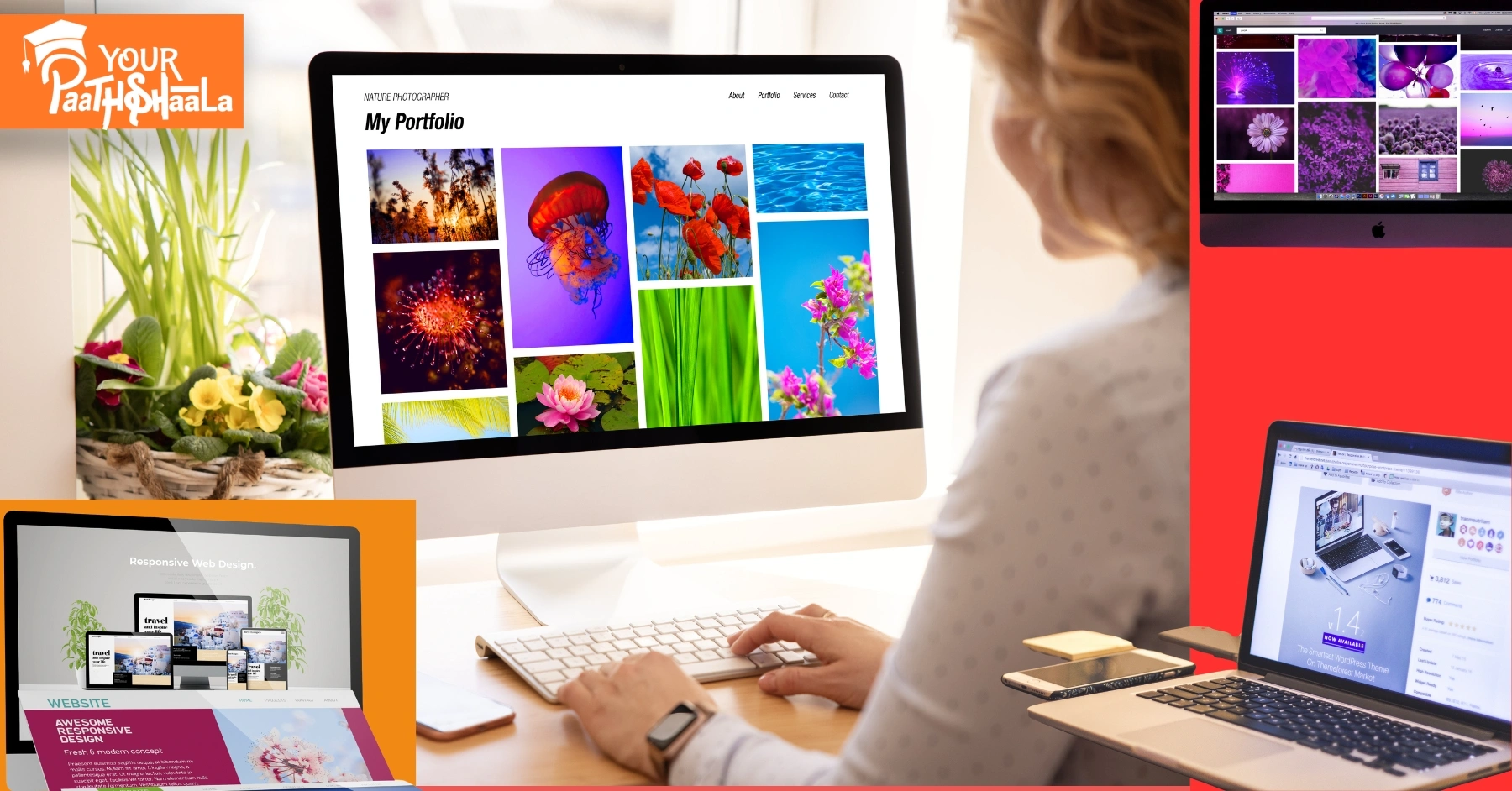
How to Make Your Design Portfolio Stand Out? - YourPaathshaala Graphics Designing Course in Raipur.

How to Make Your Design Portfolio Stand Out with Mockups & Real-World Context

How to Make Your Design Portfolio Stand Out? - YourPaathshaala Graphics Designing Course in Raipur.

As a graphic designer, I’ve spent years refining my portfolio, learning what grabs attention and what falls flat. Early on, I thought slapping my designs on a white background was enough. Spoiler: it wasn’t. Clients and employers want to see more than just pretty visuals—they want to see how your work lives in the real world. That’s where mockups and real-world context come in. These tools transformed my portfolio from a collection of images into a storytelling powerhouse that landed me gigs. In this article, I’m sharing my experience on how to make your design portfolio stand out using mockups and real-world context, with practical tips to make your work shine.


Why Mockups and Real-World Context Matter

When I started out, my portfolio was a PDF with flat designs—logos, posters, and UI screens—presented without context. I’d get feedback like, “This looks nice, but how does it work in practice?” It stung, but it was a wake-up call. Clients don’t just want to see your design; they want to feel its impact. Mockups and real-world context bridge that gap by showing your work in action—on a billboard, a phone screen, or a product package. They make your portfolio memorable and professional.

Mockups are high-quality, realistic representations of your designs applied to objects like business cards, laptops, or posters. Real-world context goes a step further, showing your work in environments where it would be used, like a website on a tablet in a coffee shop or a logo on a storefront. Together, they elevate your portfolio by:

  • Demonstrating application: They show how your design functions in real scenarios.
  • Enhancing visual appeal: A mockup is more engaging than a flat PNG.
  • Building trust: Clients see you’ve thought about how your work fits into the world.
  • Setting you apart: A portfolio with context stands out in a sea of generic submissions.

Let’s dive into how I learned to use mockups and real-world context to make my portfolio pop, with actionable steps you can apply today.


Step 1: Understand Your Audience and Goals

Before I touched a single mockup, I had to figure out who I was designing for. Was my portfolio targeting freelance clients, agencies, or in-house roles? Each audience values different things. Freelance clients might want to see versatile branding projects, while agencies look for niche expertise or bold creativity. Knowing this shaped how I presented my work.

How to Do It:

  • Identify your niche: Are you a UI/UX designer, a brand specialist, or a packaging guru? Tailor your mockups to your specialty. For example, as a branding designer, I focused on showing logos on business cards, signage, and product packaging.
  • Research your audience: Look at portfolios of designers hired by your dream clients or companies. Notice how they use mockups. For instance, I studied portfolios of designers working with tech startups and saw they leaned heavily on device-based mockups (phones, laptops, tablets).
  • Set goals: Are you aiming to land a specific project or showcase versatility? My goal was to attract small business clients, so I prioritized mockups that showed branding in everyday settings, like coffee shop menus or shop windows.

By understanding my audience, I could choose mockups and contexts that resonated with them, making my portfolio feel personal and intentional.


Step 2: Choose the Right Mockups for Your Designs

Early in my career, I made the mistake of using random mockups that didn’t match my projects. A poorly chosen mockup—like a sleek MacBook for a gritty streetwear brand—can make your work look out of place. Over time, I learned to select mockups that complement the design’s style and purpose.

Types of Mockups to Consider:

  • Device Mockups: Perfect for UI/UX or web designers. Show your app or website on phones, tablets, or laptops. I once designed a fitness app and used a mockup of a phone held by someone in a gym—it instantly clicked with clients.
  • Print Mockups: Ideal for branding or editorial designers. Think business cards, posters, or magazines. For a restaurant branding project, I used a mockup of a menu on a rustic wooden table, which screamed authenticity.
  • Product Mockups: Great for packaging or product designers. Show your design on bottles, boxes, or bags. I designed a label for a craft beer and used a mockup of the bottle in a bar setting—clients loved the vibe.
  • Environmental Mockups: These show designs in real-world settings, like billboards or storefronts. For a retail client, I placed their logo on a shop sign mockup, making it feel tangible.

Where to Find Quality Mockups:

  • Free Resources: Sites like Pexels, Unsplash, or FreePik offer decent free mockups. I started with these to keep costs low.
  • Premium Mockups: Platforms like Creative Market, Envato Elements, or Placeit have polished, customizable mockups. I invested in a Placeit subscription when I started getting consistent freelance work—it’s worth it for the variety.
  • Create Your Own: If you’re handy with Photoshop or Blender, you can craft custom mockups. I taught myself basic 3D rendering in Blender to create unique product mockups, which gave my portfolio a one-of-a-kind edge.

Pro Tip:

Match the mockup’s aesthetic to your design. A minimalist UI design looks best on a clean, modern device mockup, while a vintage logo shines on a textured paper mockup. Always ensure the mockup doesn’t overshadow your design—it’s there to enhance, not steal the show.


Step 3: Integrate Real-World Context

Mockups are great, but real-world context takes your portfolio to the next level. When I started showing my designs in environments where they’d actually appear, I noticed a shift. Clients weren’t just impressed—they were emotionally connected to the work. A logo on a coffee cup in a cozy café setting feels alive compared to a flat JPEG.

How to Add Real-World Context:

  • Tell a story: Think about where your design lives. For a music festival poster, I used a mockup of the poster on a city wall, complete with urban textures and lighting. It made clients envision the poster in their city.
  • Use lifestyle mockups: Show your work in use. For a mobile app, I used a mockup of someone holding a phone while jogging—it showed the app’s purpose in action.
  • Consider the environment: Match the context to the brand’s vibe. A luxury brand logo looks stunning on a high-end shopping bag in a boutique setting, while a nonprofit’s flyer works well in a community center mockup.
  • Incorporate motion: If your portfolio is digital, consider animated mockups. I used Placeit to create a short video of a website scrolling on a tablet, which added a dynamic touch to my portfolio site.

My Favorite Trick:

I love using “scene” mockups—mockups that include multiple elements, like a desk with a laptop, phone, and coffee cup, all showcasing different parts of a branding project. For a café client, I showed their logo on a cup, their menu on a tablet, and their business card on a table. It told a cohesive story and made the project feel complete.


Step 4: Balance Quality and Quantity

One mistake I made early on was overloading my portfolio with too many projects, each with a dozen mockups. It overwhelmed viewers. Over time, I learned that a portfolio with 6–10 strong projects, each with 2–4 carefully chosen mockups, is far more effective than a bloated gallery.

How to Curate Your Portfolio:

  • Quality over quantity: Choose your best work. I only include projects that showcase my skills and align with my target audience. If a project feels weak, I leave it out, no matter how much I like it.
  • Vary your mockups: Don’t use the same laptop mockup for every UI project. Mix it up with different devices, angles, and settings to keep things fresh.
  • Show process (sparingly): Occasionally, I include a flat design alongside a mockup to show my thought process, but I keep it minimal to avoid clutter.
  • Keep it cohesive: My portfolio has a consistent visual style—clean, modern, with neutral backgrounds—so the mockups don’t clash. This makes the portfolio feel polished.

Step 5: Optimize for SEO and Accessibility

As a freelancer, I rely on my portfolio website to attract clients, so SEO is a big deal. I also want my portfolio to be accessible to everyone, including potential clients with disabilities. Here’s how I make my portfolio SEO-friendly and accessible while using mockups and real-world context.

SEO Tips for Your Portfolio:

  • Use keyphrases naturally: My main keyphrase, “design portfolio stand out,” is woven into headings, captions, and alt text. For example, I might caption a mockup: “Branding design portfolio stand out with a logo on a coffee shop sign.”
  • Optimize image alt text: Every mockup image has descriptive alt text, like “Minimalist logo design on a business card mockup for a tech startup.” This helps search engines understand the content and improves accessibility.
  • Fast-loading images: High-resolution mockups are great, but they can slow down your site. I use tools like TinyPNG to compress images without losing quality.
  • Add project descriptions: For each project, I write a short paragraph explaining the client’s needs, my process, and how the mockup showcases the design. This adds context and boosts SEO with relevant keywords.
  • Mobile-friendly design: Many clients browse portfolios on their phones, so I ensure my site is responsive. Mockups look just as good on a phone as they do on a desktop.

Accessibility Tips:

  • High-contrast mockups: I avoid low-contrast designs that are hard to read, especially for UI mockups. If the design itself is low-contrast, I choose a mockup with a clear background.
  • Screen reader compatibility: I use semantic HTML and ARIA labels on my portfolio site to make it navigable for screen reader users.
  • Keyboard navigation: My portfolio site is fully navigable via keyboard, which I test regularly to ensure inclusivity.

Step 6: Showcase Your Process and Problem-Solving

Clients love seeing how you think, not just what you produce. I started including brief case studies in my portfolio to show the “why” behind my designs. Mockups and real-world context help tell this story visually, but a little text goes a long way.

How to Show Your Process:

  • Explain the problem: For a branding project, I might write, “The client needed a logo that felt modern yet approachable for their eco-friendly product line.”
  • Highlight your solution: “I designed a minimalist logo and used a mockup on a reusable water bottle to show its versatility.”
  • Include mockups strategically: I use mockups to illustrate key moments in the project. For a website redesign, I showed the homepage on a laptop mockup and a mobile version on a phone mockup to demonstrate responsiveness.
  • Keep it concise: My case studies are 100–200 words, just enough to give context without boring the viewer.

This approach not only makes your portfolio more engaging but also shows you’re a problem-solver, not just a pixel-pusher.


Step 7: Keep Your Portfolio Fresh

Design trends evolve, and so should your portfolio. I revisit mine every 3–6 months to update mockups, swap out old projects, and refresh the look. Recently, I noticed 3D mockups and immersive scenes were trending, so I updated a few projects to include them. This keeps my portfolio relevant and shows I’m in tune with the industry.

Tips for Staying Current:

  • Follow design trends: Browse Dribbble, Behance, or Awwwards to see how top designers are using mockups. I noticed holographic and isometric mockups were gaining traction, so I experimented with them for a tech client.
  • Update mockups: If a mockup looks dated (like an old iPhone model), swap it for a newer one. I replaced a 2018 MacBook mockup with a 2025 model to keep things sleek.
  • Add new work: As you complete projects, add them to your portfolio. I always prioritize projects that let me experiment with unique mockups or contexts.
  • Test and iterate: Ask for feedback from mentors or peers. I once showed my portfolio to a senior designer who suggested I simplify my layouts—best advice ever.

Common Mistakes to Avoid

I’ve made plenty of mistakes building my portfolio, and I want you to avoid them. Here are the big ones:

  • Overusing mockups: Too many mockups per project can overwhelm. Stick to 2–4 per project.
  • Ignoring brand consistency: If your portfolio’s branding (fonts, colors) clashes with your mockups, it looks unprofessional. I use a consistent color palette across my site.
  • Low-quality mockups: Blurry or pixelated mockups scream amateur. Always use high-resolution files.
  • Forgetting the user: If your portfolio is hard to navigate or slow to load, clients will bounce. I test my site’s speed and usability monthly.
  • Neglecting context: A mockup without a story is just a pretty picture. Always explain why the design matters.

Tools and Resources I Use

Here’s a rundown of the tools that have helped me create standout mockups and real-world context:

  • Adobe Photoshop: For editing and placing designs into mockups. I use smart objects for quick updates.
  • Placeit: A lifesaver for professional mockups and animated scenes. Their library is massive.
  • Canva: Great for quick mockups if you’re not a Photoshop pro. I use it for simple print mockups.
  • Blender: For custom 3D mockups. It has a learning curve but adds a unique touch.
  • Figma: Perfect for UI/UX mockups and creating responsive design previews.
  • TinyPNG: For compressing images to keep my site fast.
  • Behance/Dribbble: For inspiration and to see how others use mockups.

My Results and Final Thoughts

After incorporating mockups and real-world context, my portfolio went from forgettable to a client magnet. Within months, I landed three freelance branding projects and got shortlisted for an agency role—all because my work felt tangible and professional. Clients commented on how they could “see” their brand coming to life, which was exactly the reaction I wanted.

To make your design portfolio stand out, focus on quality, context, and storytelling. Choose mockups that enhance your designs, show them in real-world settings, and pair them with concise case studies. Keep your audience in mind, optimize for SEO and accessibility, and refresh your portfolio regularly. It’s not just about showing your skills—it’s about showing how your work makes an impact.

Start small: pick one project, find a mockup that fits, and place it in a real-world context. Test it with a friend or mentor and see how it feels. From there, build out your portfolio with intention, and you’ll be amazed at the response. Join YourPaathshaala, Raipur’s leading skill development institute. Contact us at 📞 +91-8305209520 for more information!

How to Use AI for Logo Design: New Tools vs Traditional Methods in 2025 - YourPaathshaala Graphic Designing Course in Raipur.

How to Use AI for Logo Design: New Tools vs Traditional Methods in 2025

How to Use AI for Logo Design: New Tools vs Traditional Methods in 2025 - YourPaathshaala Graphic Designing Course in Raipur.

In 2025, using AI for logo design is transforming how Indian designers create memorable brand identities. AI tools promise speed and creativity, but how do they stack up against traditional methods? This beginner-friendly guide explores how to use AI for logo design, comparing new tools with traditional approaches in India’s vibrant market. For example, AI can generate a vibrant logo in minutes, while traditional methods offer deep customization. Whether you’re freelancing in Delhi or targeting global clients, mastering AI for logo design is key. Ready to dive in? Let’s explore the tools, techniques, and trends for 2025!


Why AI for Logo Design Matters

Using AI for logo design offers efficiency and innovation, crucial in India’s $50,000 crore digital market, per IAMAI. First, AI tools save time, generating logos faster than manual sketching. Next, they make design accessible to beginners with limited budgets. For instance, a startup can create a professional logo without hiring a designer. However, traditional methods provide unmatched creativity. Understanding both approaches ensures you meet client needs effectively.


What is AI Logo Design?

AI logo design uses algorithms to generate logos based on user inputs like brand name, industry, and style preferences. Tools like Looka or Canva AI analyze trends and produce visuals in seconds. Inkbotdesign.com notes AI excels at automating repetitive tasks, like creating variations. For example, inputting “Indian startup, vibrant, modern” can yield a colorful logo. AI for logo design is fast, data-driven, and beginner-friendly, ideal for India’s fast-paced market.


What is Traditional Logo Design?

Traditional logo design relies on human creativity, involving sketching, brainstorming, and iterative refinement. Designers use tools like Adobe Illustrator to craft custom logos based on client briefs. Designs.ai highlights that this method emphasizes emotional storytelling, like incorporating Indian cultural motifs. For instance, a hand-drawn logo with Warli art can resonate locally. Traditional methods offer depth but require time and skill.


AI vs Traditional Methods: Key Differences

Understanding how to use AI for logo design versus traditional methods involves comparing their strengths and weaknesses. These distinctions shape your approach in 2025.

Speed and Efficiency

AI tools generate multiple logo options in minutes, ideal for startups needing quick results. Traditional methods take days or weeks, involving sketches and revisions. For example, AI can produce 10 logos in seconds, while traditional design requires detailed client feedback. AI saves time; traditional methods prioritize depth. In India, AI suits fast-paced projects.

Cost and Accessibility

AI platforms like Canva (free or ₹500/month) are budget-friendly, perfect for Indian freelancers. Traditional design, often costing ₹10,000-₹50,000 via agencies, is pricier. For instance, small businesses can afford AI-generated logos. AI democratizes design; traditional methods offer premium quality. Cost-effectiveness drives AI’s popularity in India.

Creativity and Customization

AI relies on algorithms, producing logos based on data and templates. Traditional methods allow bespoke designs with cultural nuances, like Diwali-inspired typography. For example, AI may create generic logos, while traditional methods craft unique stories. AI offers speed; traditional design delivers originality. Both can complement each other for balanced results.

Scalability and Consistency

AI tools provide logo variations for social media, websites, and print, ensuring consistency. Traditional methods require manual adjustments for each format. For instance, AI can resize a logo for Instagram instantly. AI excels in scalability; traditional design ensures nuanced branding. Indian brands benefit from AI’s versatility.


Tools for AI Logo Design

These beginner-friendly tools help you use AI for logo design, tailored for Indian designers on a budget.

  • Canva AI: Free or ₹500/month, offers templates and AI-generated visuals.
  • Looka: ₹1,500-₹5,000 for packages, creates full brand kits.
  • BrandCrowd: Free to try, paid logos from ₹1,500, with customization.
  • MidJourney: ₹800-₹2,000/month, generates experimental designs.
  • Adobe Express: Free or ₹800/month, blends AI with professional tools.

These tools are affordable, with free options like Canva, making AI for logo design accessible in India.


6 Steps to Use AI for Logo Design

Follow this beginner-friendly guide to use AI for logo design in 2025, compared with traditional methods, tailored for India’s market.

1. Define Your Brand Identity

Start by identifying your brand’s values, audience, and style. For example, a tech startup may want a modern, vibrant logo with Indian colors like saffron. Use a brief to guide AI inputs or traditional sketching. This ensures alignment with client needs. A clear identity shapes effective logos.

2. Choose Your Tool

Select an AI tool like Canva or Looka for speed, or Adobe Illustrator for traditional design. For instance, input “Indian e-commerce, bold, cultural” into Canva AI for quick results. Traditional designers sketch concepts manually. AI is faster; traditional tools offer control. Choose based on your budget and timeline.

3. Generate Initial Concepts

Use AI to create 5-10 logo variations by entering brand details. For example, BrandCrowd can produce logos with Indian motifs in seconds. In traditional methods, sketch multiple concepts by hand. AI offers instant options; traditional design allows deeper exploration. Test both to find the best fit.

4. Incorporate Indian Aesthetics

Add cultural elements like Warli patterns or festive colors to resonate with Indian audiences. AI tools can suggest local-inspired designs; traditional methods let you draw them manually. For instance, use AI to generate a Diwali-themed logo, then refine it. Cultural touches enhance local appeal. This step differentiates your work.

5. Refine and Customize

Tweak AI-generated logos in Canva or Adobe Express for polish, like adjusting fonts. Traditional designers refine sketches in Illustrator for precision. For example, adjust a logo’s colors to match a brand’s vibe. AI streamlines edits; traditional methods offer nuanced control. Refinement ensures a professional result.

6. Test and Finalize

Test your logo on platforms like Instagram or business cards for versatility. Use feedback from Indian clients to ensure cultural relevance. AI tools provide scalable formats; traditional methods require manual scaling. For instance, ensure the logo looks clear on mobile screens. Finalize with client approval.

Total Time: 5-15 hours for AI, 20-40 hours for traditional methods


Common Mistakes to Avoid

Avoid these pitfalls to effectively use AI for logo design. First, don’t rely solely on AI templates; they may lack originality. Next, avoid skipping brand research; it ensures relevance. Also, don’t ignore scalability; logos must work across platforms. For example, a generic AI logo may not resonate with Indian audiences. Finally, don’t neglect feedback; it refines both AI and traditional designs.


Tips for Using AI and Traditional Methods

To excel in using AI for logo design, follow these tips. First, blend AI speed with traditional creativity for unique results. Next, use AI for initial ideas and traditional tools for final polish. Additionally, study Indian trends like vibrant colors on Dribbble. For example, combine AI-generated layouts with hand-drawn cultural elements. Finally, test logos on mobile, as 70% of Indian users are mobile-first, per IAMAI.


2025 Trends in Logo Design

In 2025, logo design trends blend AI and cultural aesthetics, per Kreafolk.com and Inkbotdesign.com. AI-generated minimalism and vibrant Indian-inspired colors, like turquoise and saffron, are popular. Micro-animations in digital logos enhance engagement. X posts highlight neon and geometric styles for Indian brands. For example, an AI-generated logo with Diwali motifs can attract clients. Staying updated ensures your designs shine.


AI vs Traditional: Which is Better for India?

India’s design industry is booming, with digital ad spending projected at ₹50,000 crore by 2026, per IAMAI. AI for logo design suits startups needing quick, affordable logos. Traditional methods excel for brands wanting unique, culturally rich designs. For instance, AI works for fast e-commerce logos, while traditional methods suit bespoke cultural branding. Choose based on project needs and budget.


Budgeting for Logo Design

Using AI for logo design is cost-effective for Indian designers. Free tools like Canva or Adobe Express cost nothing initially. Paid AI platforms like Looka run ₹1,500-₹5,000 per logo. Traditional tools like Adobe Illustrator cost ₹1,500-₹3,000/month. For example, a setup with free AI tools and a ₹2,000/year portfolio site keeps costs low. Budget wisely to focus on creativity.


Scaling Your Logo Design Skills

Once you master AI for logo design, scale your skills. Create a portfolio with AI and traditional logos, like festive or tech designs. Offer services on WorknHire, charging ₹2,000-₹10,000 per project. For example, specialize in AI-generated cultural logos for Indian startups. Promote on Instagram to attract clients. Continuous practice ensures growth.


Conclusion

Learning how to use AI for logo design in 2025 empowers Indian designers to create impactful brand identities. AI tools offer speed and accessibility, while traditional methods provide depth and originality. Use our guide to choose tools, generate ideas, and refine designs. For example, create a culturally inspired logo to test your skills. Avoid pitfalls like over-relying on templates or skipping feedback. Ready to lead? Start using AI for logo design today and shine in India’s vibrant market! Join YourPaathshaala, Raipur’s leading skill development institute. Contact us at 📞 +91-8305209520 for more information!

How to Get Design Inspiration: Sources and Idea Generation in 2025 - YourPaathshaala Graphic Designing Classes in Raipur.

How to Get Design Inspiration: Sources and Idea Generation in 2025

How to Get Design Inspiration: Sources and Idea Generation in 2025 - YourPaathshaala Graphic Designing Classes in Raipur.

In 2025, finding fresh design inspiration is vital for Indian graphic designers to create standout work in a competitive market. Whether designing logos, UI/UX, or social media graphics, knowing how to get design inspiration keeps your creativity flowing. This beginner-friendly guide offers practical sources and idea generation techniques tailored for India’s vibrant design scene. For example, a Diwali-inspired color palette can spark a unique project. From Mumbai freelancers to small-town designers, these strategies will fuel your creativity. Ready to get inspired? Let’s dive into how to get design inspiration in 2025!


Why Design Inspiration Matters

Inspiration drives innovation, helping you create designs that resonate with clients and audiences. First, it prevents creative blocks, keeping your work fresh and engaging. Next, it aligns your designs with trends, crucial in India’s $50,000 crore digital ad market, per IAMAI. Additionally, inspiration helps you craft culturally relevant designs, like festive branding. For instance, drawing from Indian art can win local clients. However, relying on outdated ideas may make your work feel stale. Learning how to get design inspiration ensures a thriving career.


Understanding Design Inspiration

Design inspiration is the spark that fuels creative ideas, drawn from diverse sources like art, culture, or technology. It’s about finding visual or conceptual triggers that shape your unique designs. Creative Boom notes that inspiration in 2025 often blends global trends with local aesthetics. For example, combining minimalist layouts with vibrant Indian motifs creates a modern style. Understanding this process helps you get design inspiration intentionally and consistently.


Benefits of Finding Inspiration

Seeking inspiration offers multiple advantages for Indian designers. It sparks creativity, helping you develop a unique style that stands out in cities like Bangalore. It also keeps you updated on 2025 trends, like AI-generated visuals, ensuring client relevance. Additionally, it boosts confidence, making it easier to pitch bold ideas. For instance, a Warli-inspired pattern can elevate a branding project. However, without inspiration, your designs may lack originality or impact.


Sources to Get Design Inspiration

To get design inspiration, explore these diverse sources tailored for Indian designers. They’re accessible and align with 2025 trends, per Creative Boom and Canva.

Online Platforms

Platforms like Behance and Dribbble showcase global designs, from UI to branding. Pinterest is ideal for curating Indian-inspired mood boards, like Holi color schemes. For local insights, sites like Design in India highlight regional trends. These platforms offer endless ideas. Browse daily to spark creativity.

Cultural Influences

Indian culture, from festivals to traditional art, is a rich source of inspiration. For example, Madhubani patterns or Diwali colors can inspire vibrant designs. Visit local markets or museums to study textiles and crafts. Online archives like Sahapedia document Indian art forms. Cultural elements add authenticity to your work.

Nature and Environment

Nature, like India’s landscapes or urban cityscapes, fuels creative ideas. For instance, a sunset’s warm tones can inspire a color palette. Take photos during walks or explore Unsplash for high-quality nature images. Urban elements, like Mumbai’s street art, also spark ideas. Nature offers organic, relatable inspiration.

Technology and AI

AI tools like MidJourney generate unique visuals, trending in 2025 per Canva. For example, create experimental textures for a poster design. Explore AI design galleries on Adobe’s blog for cutting-edge ideas. These tools blend innovation with creativity. Technology pushes your designs forward.

Books and Magazines

Books like “Graphic Design Visionaries” by Caroline Roberts offer timeless inspiration. Magazines like Creative Review cover global trends. In India, publications like Kyoorius Magazine highlight local design stories. These provide in-depth insights. Reading weekly keeps your ideas fresh.


Tools to Support Idea Generation

These beginner-friendly tools help you capture and develop inspiration, ideal for Indian designers on a budget.

  • Design Software: Canva (free or ₹500/month) or Adobe Photoshop (₹500-₹3,000/month) for sketching ideas.
  • Inspiration Platforms: Behance, Dribbble, Pinterest for visual references.
  • Note-Taking Apps: Notion or Google Keep for organizing ideas and mood boards.
  • Photography Tools: Smartphone cameras or Unsplash for capturing inspirations.
  • AI Tools: MidJourney or Canva AI for generating experimental visuals.

These tools are affordable, with free options like Canva, making it easy to get design inspiration without breaking the bank.


6 Steps to Get Design Inspiration

Follow this beginner-friendly guide to get design inspiration and generate ideas in 2025. These steps are practical and tailored for India’s design scene.

1. Build an Inspiration Library

Curate a digital or physical library of designs you love using Pinterest or Notion. For example, save vibrant Indian festival designs or minimalist UI layouts. Add 5-10 pieces weekly, noting what draws you in, like colors or patterns. Review your library regularly to spot trends. This creates a go-to source for ideas.

2. Study Indian Culture

Explore Indian art forms, festivals, and traditions for unique inspiration. For instance, study Warli art for geometric patterns or Holi for bold colors. Visit cultural sites or browse Sahapedia for references. Create a mood board with cultural elements. This grounds your designs in local appeal.

3. Experiment with Trends

Test 2025 trends, like AI-generated visuals or bold typography, in small projects. For example, design a poster with Poppins font and vibrant gradients. Use Canva or Figma to experiment quickly. Share on Instagram for feedback. Experimentation helps you find fresh ideas.

4. Observe Your Environment

Draw inspiration from your surroundings, like cityscapes or nature. For instance, photograph a bustling Delhi market for texture ideas. Use Unsplash for Indian-inspired images if travel isn’t possible. Sketch or note observations daily. Environmental inspiration adds authenticity.

5. Collaborate and Network

Join Indian design communities on LinkedIn or Discord to share ideas. For example, discuss 2025 trends like micro-animations with peers. Attend virtual webinars or DesignUp events in Bangalore. Feedback sparks new perspectives. Collaboration fuels creative growth.

6. Practice Daily Creativity

Dedicate 30 minutes daily to sketching, designing, or brainstorming. For example, create a quick logo inspired by a festival. Use free tools like Canva to keep it low-pressure. Review your work weekly to refine ideas. Daily practice builds a habit of inspiration.

Total Time: 15-30 hours weekly, ongoing for creative growth


Common Mistakes to Avoid

Avoid these pitfalls to effectively get design inspiration. First, don’t copy designs; use them as a starting point for originality. Next, avoid sticking to one source; diversify with culture, nature, and tech. Also, don’t ignore local trends; Indian aesthetics like festive colors are key. For example, over-relying on global designs may disconnect you from local clients. Finally, don’t hoard inspiration without acting; create to keep ideas flowing.


Tips for Generating Ideas

To excel in getting design inspiration in India, follow these practical tips. First, set aside 1-2 hours weekly to explore new sources like Behance. Next, carry a notebook or use Google Keep to jot down spontaneous ideas. Additionally, join Indian design groups on Instagram for local inspiration. For example, a Diwali color palette can spark a branding project. Finally, take breaks to avoid burnout, refreshing your creative mind.


2025 Design Trends in India

In 2025, India’s design scene is vibrant, per Creative Boom and Canva. AI-generated textures and bold Indian-inspired typography, like Noto Sans Devanagari, are trending. Sustainable designs with eco-friendly motifs resonate with local brands. X posts highlight micro-animations and vibrant colors for digital projects. For instance, a festive UI design with subtle animations can attract clients. Staying inspired aligns your work with these trends.


Why Inspiration is Crucial in India

India’s design industry is thriving, with digital ad spending projected at ₹50,000 crore by 2026, per IAMAI. Knowing how to get design inspiration ensures you create relevant, impactful work for startups and brands. For example, culturally inspired designs win local clients in cities like Delhi. Inspiration also boosts your confidence to pitch bold ideas. Staying inspired keeps you competitive in this dynamic market.


Budgeting for Inspiration

Finding inspiration is budget-friendly for Indian designers. Free platforms like Behance, Pinterest, and Unsplash cost nothing. Canva’s free plan or Skillshare courses run ₹200-₹1,000. A smartphone for photography or a sketchbook costs ₹500-₹5,000. For example, a basic setup with free tools and a ₹2,000/year portfolio site keeps expenses low. Budget wisely to focus on creativity.


Scaling Your Inspiration Process

Once you master finding inspiration, scale it for career growth. Create a portfolio showcasing inspired projects, like festive logos or UI designs. Offer services on WorknHire, charging ₹1,000-₹5,000 per project. For example, specialize in Indian-inspired designs to attract clients. Share your work on Instagram to build a following. Regular inspiration fuels long-term success.


Conclusion

Knowing how to get design inspiration in 2025 is essential for Indian graphic designers to stay creative and competitive. From exploring cultural influences to practicing daily, these steps spark fresh ideas. Use our guide to build an inspiration library, experiment, and network. For example, design a Holi-themed poster to test your creativity. Avoid pitfalls like copying or ignoring local trends. Ready to shine? Start getting design inspiration today and elevate your career in India’s design scene! Join YourPaathshaala, Raipur’s leading skill development institute. Contact us at 📞 +91-8305209520 for more information!